
The SFO Museum Application Programming Interface (API)

Today we are announcing the availability of the SFO Museum Application Programming Interface (API). The API allows developers to access SFO Museum-related data programmatically over the internet (HTTP). Use of the API requires that you create a SFO Museum account and agree to the Museum’s terms of service and community guidelines. The root URL for all API requests, configuration details and documentation is:
API Methods

The SFO Museum API exposes a number of API methods grouped by theme or topic. As of this writing they are:
apifor methods about the API itself. This includes a list of all the API methods and API errors in a machine-readable format.sfomuseum.collectionfor API methods related to the SFO Museum Aviation Collection website. This includes objects, images, airlines, aircraft, airports and anything else related to the aviation collection.sfomuseum.millsfieldfor API methods related to the Mills Field website. This includes architecture (buildings, terminals, boardinareas, etc.), exhibitions, galleries, flights and social media data related to SFO and SFO Museum.sfomuseum.youfor API methods related to the you.sfomuseum.org website. This includes a complete suite of methods for adding, removing and retrieving items in your SFO Museum shoebox.
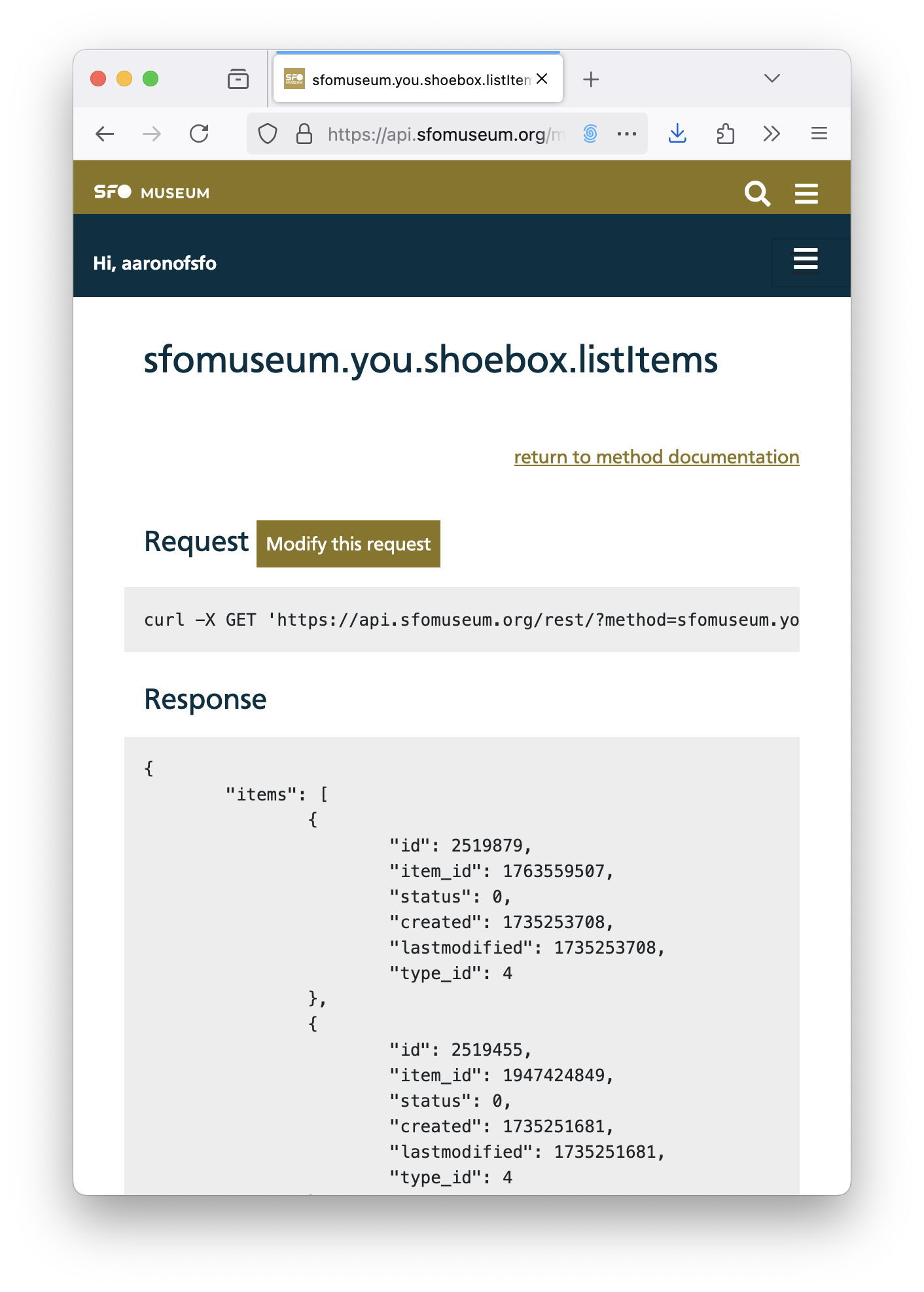
Every API method has a stable, permanent URL with documentation for its input parameters and other details. For example the documentation page for the sfomuseum.you.shoebox.listItems page looks like this:
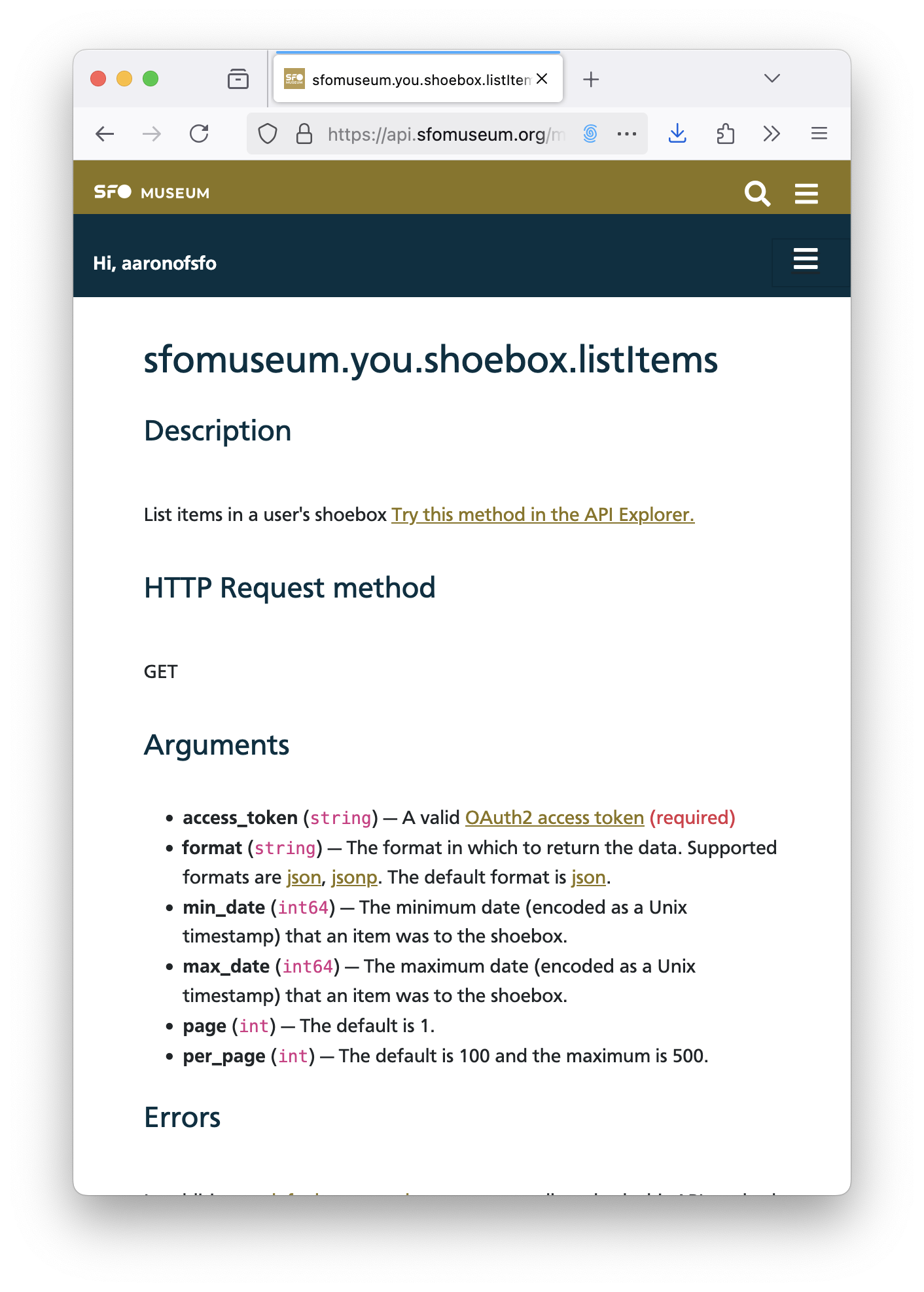
All API calls are sent to https://api.sfomuseum.org/rest as either an HTTP GET or POST request, with two or more query parameters. For example, to list all the items added to your SFO Museum shoebox in 2024:
$> curl -X GET \
   	-F method=sfomuseum.you.shoebox.listItems \
	-F access-token={SFOMUSEUM_API_ACCESS_TOKEN} \
	-F min_date=1704067200 \
	-F max_date=1735689599 \
	https://api.sfomuseum.org/rest
The ?method= and ?access_token= parameters are required for all API calls.
Access Tokens
Access to the API is governed through the use of “access tokens”, specifically “grant tokens” as defined in section 4.1 of the OAuth2 specification. These tokens allow third-party developers to create applications which can act on your behalf without the need for you to share your SFO Museum account credentials. Instead, a third-party application will ask you to allow permission to act on your behalf and, once granted, will be issued a new “grant token” which enables that access.
That may be fine if you are a developer but what if you just want an access token to your for your own personal use? To address this need we’ve created a simple “Create a new access token for yourself” webpage:
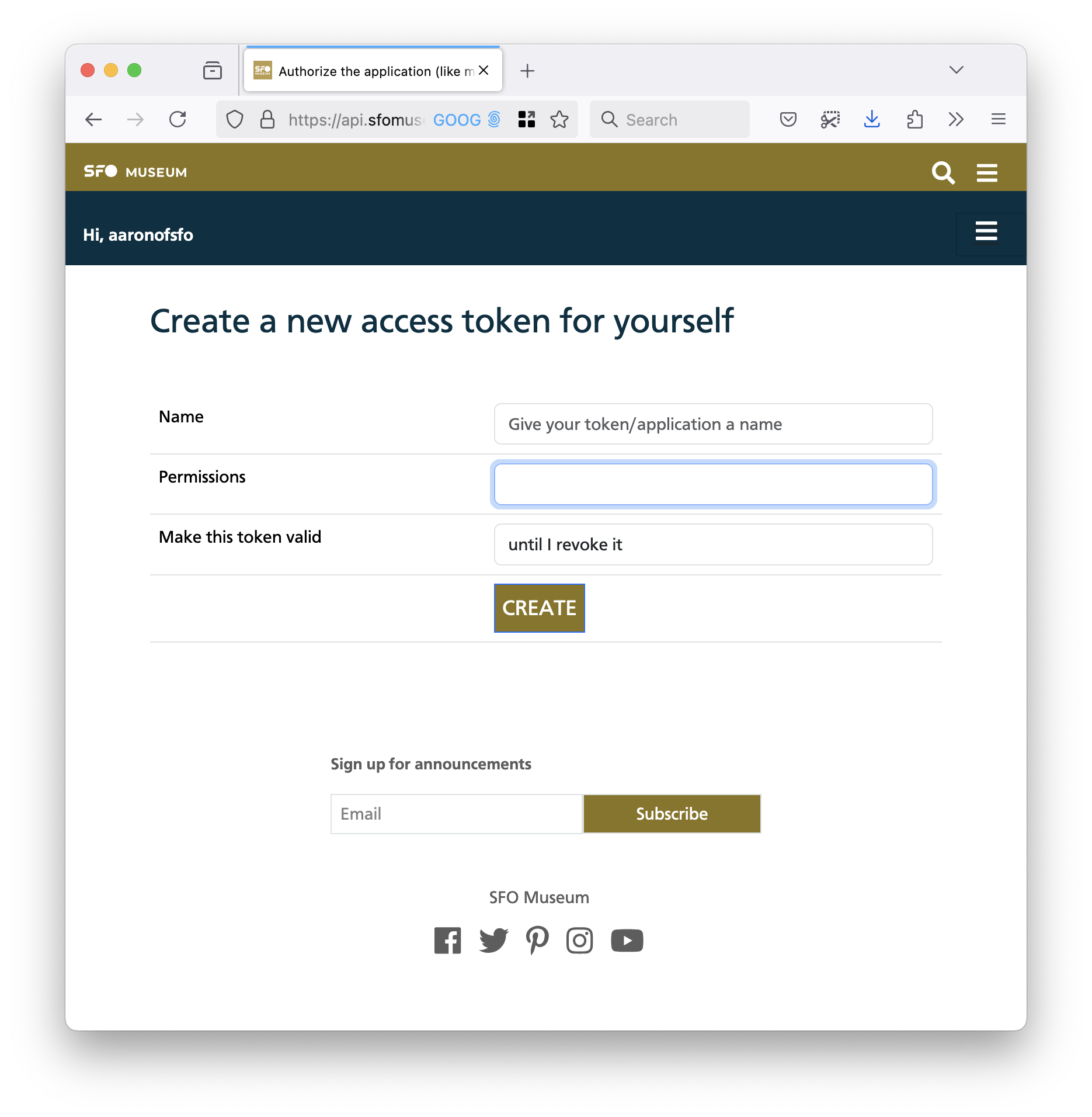
This webpage allows you to create a personal access token by entering three pieces of information: A name or label for the access token, the level of permissions you want the access token to have and how long you want that token to last.
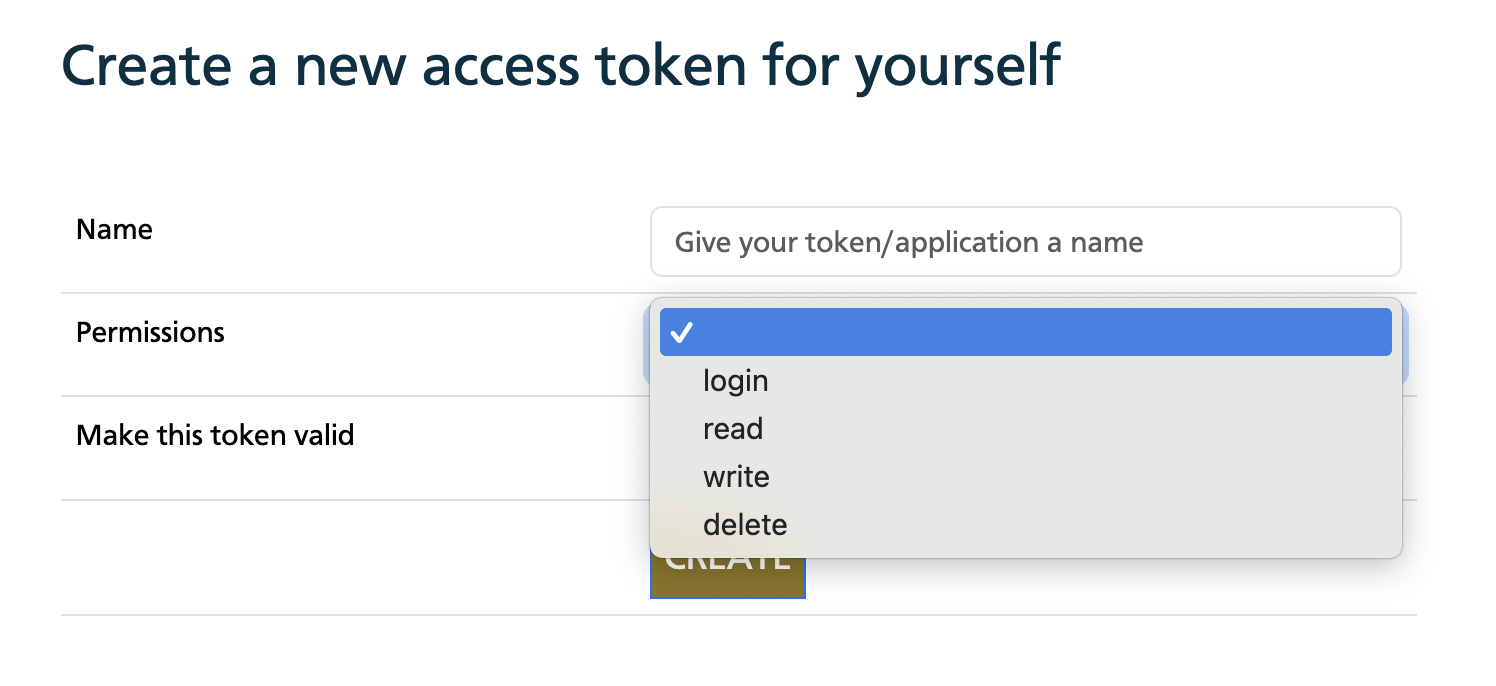
Tokens may have the following permissions:
login– This can be used to validate that you have a valid SFO Museum account.read– This allows the token to read data specific to you (for example, items in your SFO Museum shoebox).write– This allows the token to read and write data on your behalf (for example, adding items to your SFO Museum shoebox).delete– This allows the token to read, write and remove data on your behalf (for example, deleting items in your SFO Museum shoebox).
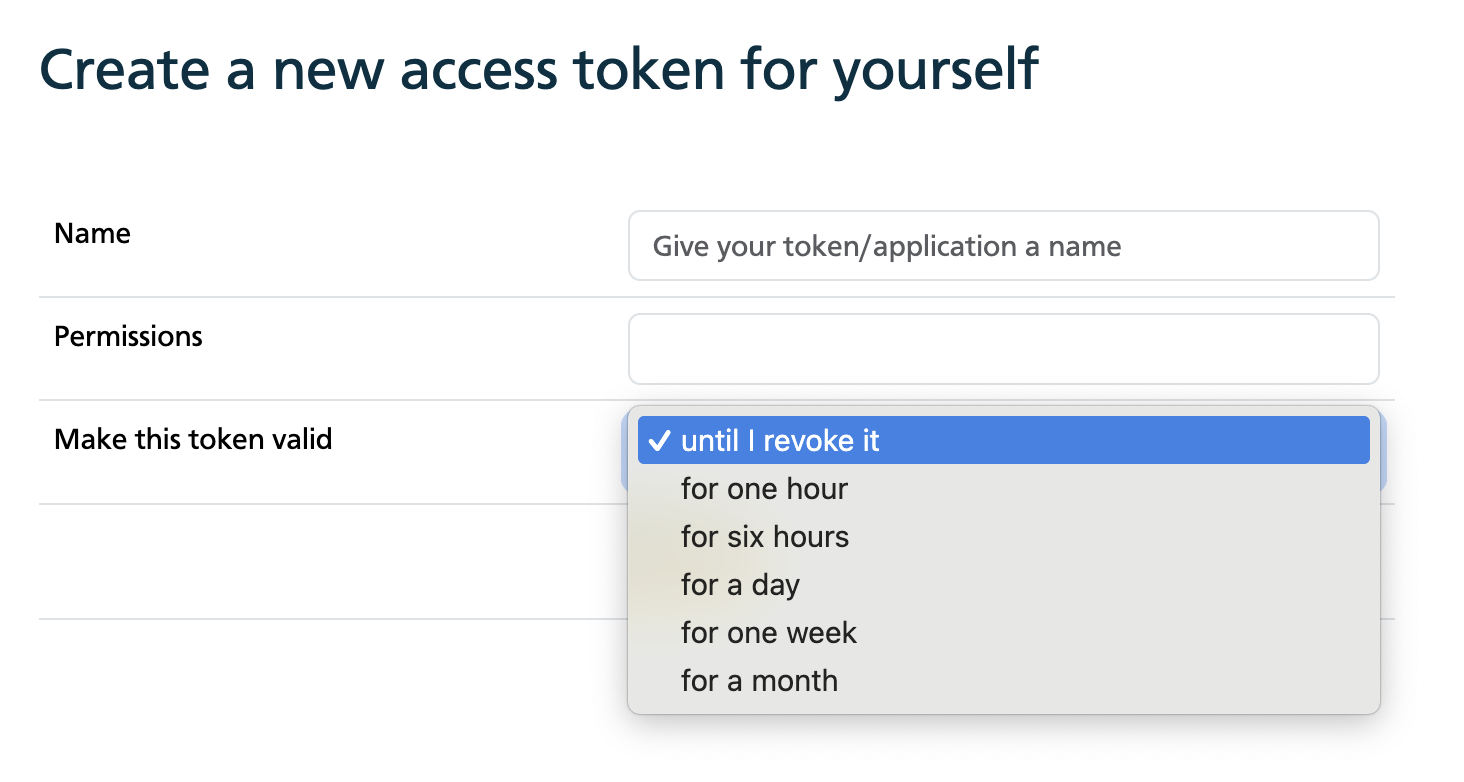
Tokens may also be assigned an optional “time to live”. These are:
one hoursix hoursone dayone weekone month
If a time to live is defined then an expiry date will be assigned, starting from the moment the access token was created, and will be checked on each API request. The default is to allow access tokens to work until they are manually deleted (from the api.sfomuseum.org website).
Remember: Access tokens allow third parties and automated processes to act on your behalf and should be treated as sensitive data.
API Explorer
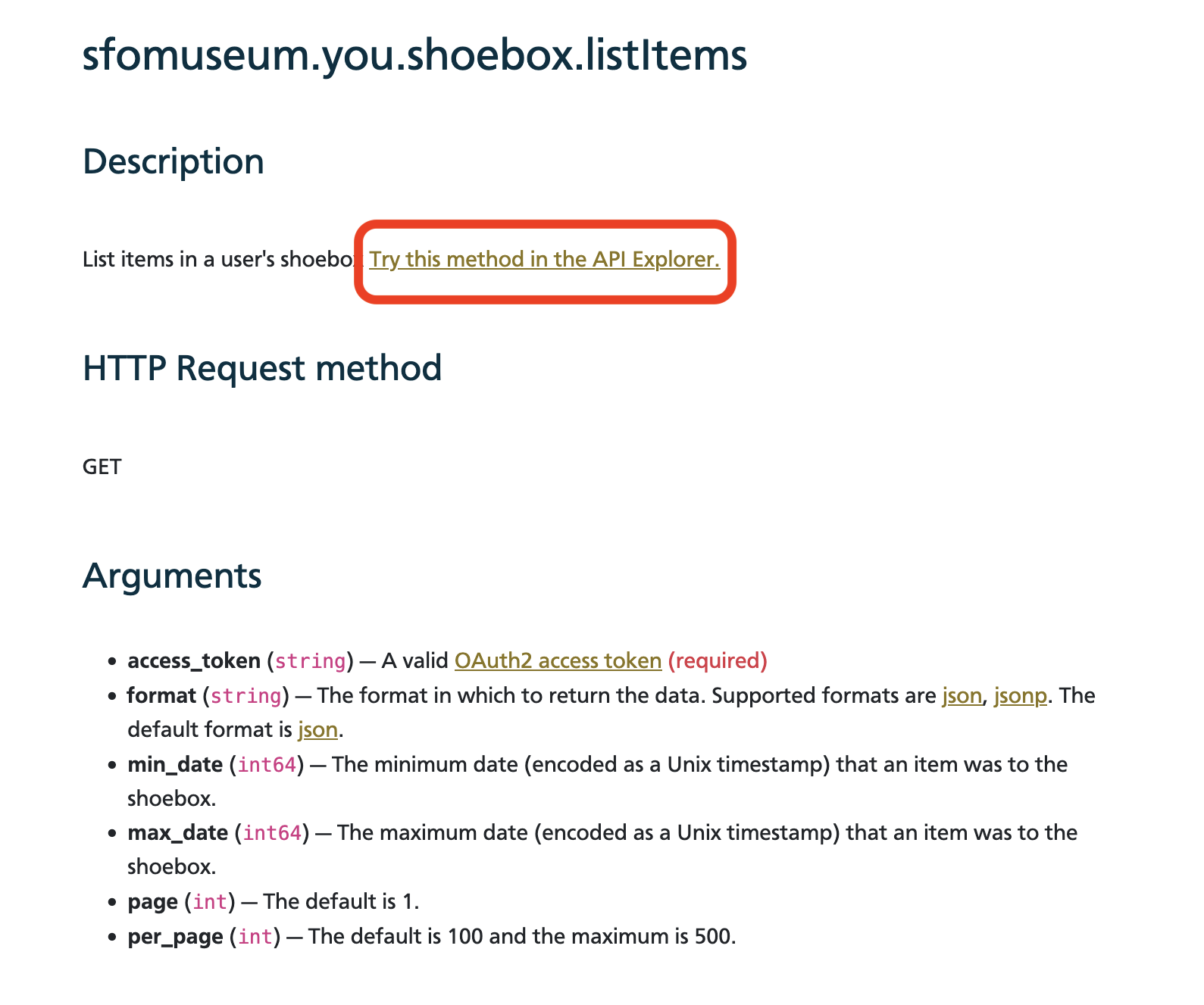
You can also try (almost) all of the API methods from the api.sfomuseum.org website itself. Next to the description for each method, on its individual documentation page, there is a “Try this method in the API Explorer” link. That link will take you to a new page with a form displaying all the available parameters for that API method:
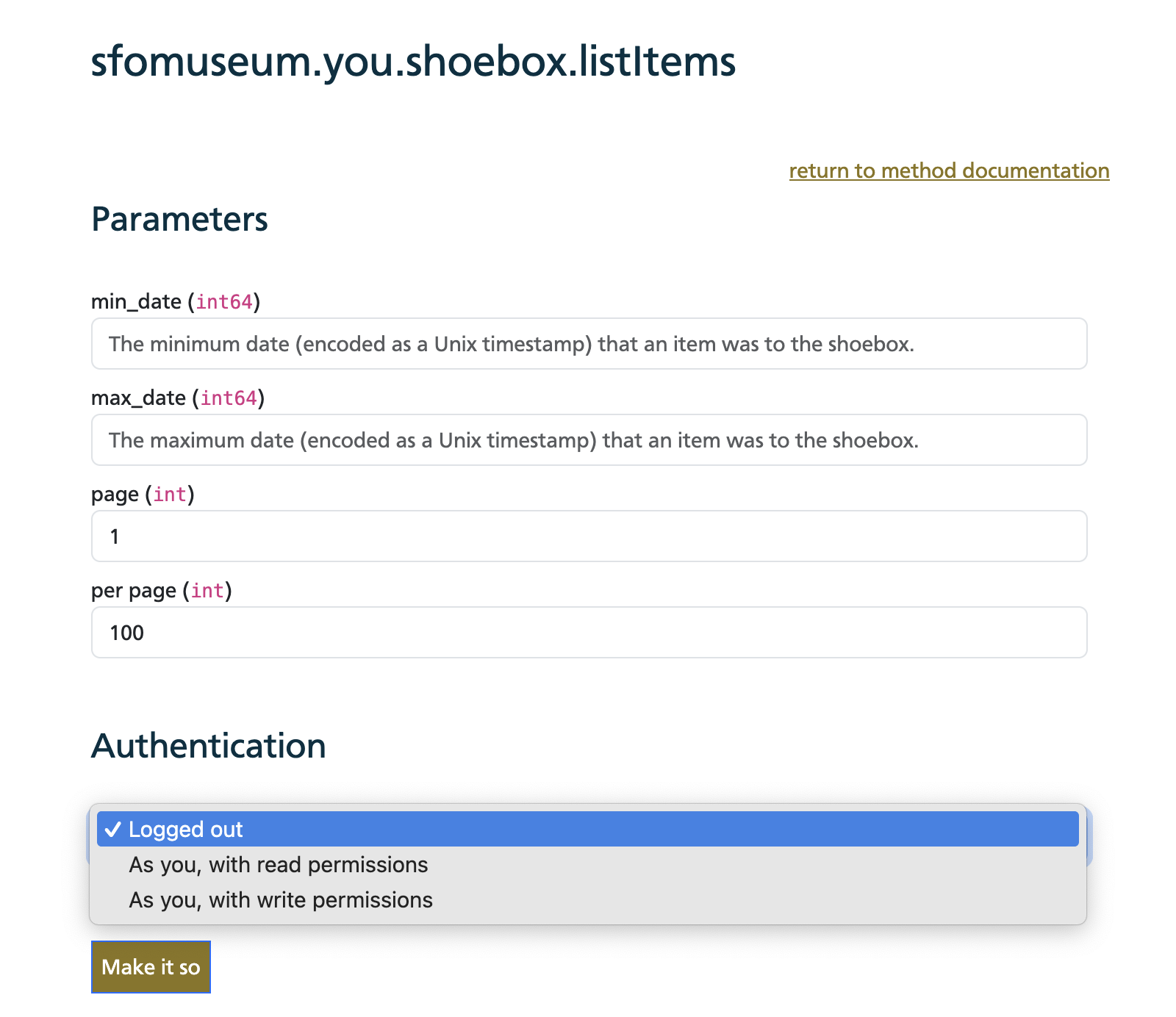
You can enter any specific values you want to test the API with as well as indicating the types of permissions you want the API call to be performed with.
Executing the API request will display both the raw HTTP request (as a cURL command) and the results returned by the API. There is no formal definition (yet) for API responses so the API Explorer is a good way of investigating how to use the API.
API Clients
We have released library clients for the SFO Museum API for both the Python and Go programming languages. The design of the API, and by extension our client libraries, is minimalist in nature. There is a single endpoint which takes a method parameter, two or more additional parameters and returns JSON responses. It is left to application using the API and libraries to parse that JSON and extract data as deemed necessary.
If you have created or know of any other client libraries for use with the SFO Museum API let us know and we’ll add them to the list of libraries on the SFO Museum API website.
Python
https://github.com/sfomuseum/py-sfomuseum-api
from sfomuseum.api.client import OAuth2Client
import json

access_token = "SFOMUSEUM_API_ACCESS_TOKEN"
kwargs = { "method": "api.spec.methods" }

cl = OAuth2Client(access_token)
rsp = cl.execute_method("GET", kwargs)

data = json.load(rsp)
print(json.dumps(data))
Go
https://github.com/sfomuseum/go-sfomuseum-api
package main

import (
	"context"
	"io"
	"net/url"
	"os"

	"github.com/sfomuseum/go-sfomuseum-api/client"
)

func main() {

	ctx := context.Background()

	client_uri := "oauth2://?access_token={TOKEN}"
	cl, _ := client.NewClient(ctx, client_uri)

	args := &url.Values{}
	args.Set("method", "api.spec.methods")

	fh, _ := cl.ExecuteMethod(ctx, "GET", args)
	defer fh.Close()

	io.Copy(os.Stdout, fh)
}
“picturebook”
To demonstrate the use of the SFO Museum API and the go-sfomuseum-api package we have also released the sfomuseum/go-picturebook-sfomuseum package. This package includes a command-line tool called picturebook which enables the creation of “picturebooks” – PDF files created from a set of images using the SFO Museum API. Currently, it is only capable of producing picturebooks derived from collection objects and Instagram posts saved to your SFO Museum shoebox but in the future it will be able to create picturebooks from arbitrary API calls.
To use picturebook first download the source code GitHub and compile it. To create a PDF file of all the items in your SFO Museum shoebox run the tool passing in your SFO Museum API access token and any other PDF-specific arguments. For example:
$> git clone https://github.com/sfomuseum/go-picturebook-sfomuseum.git
$> cd go-picturebook-sfomuseum
$> make cli

$> ./bin/picturebook \
	-width 6 \
	-height 9 \
	-access-token {SFOMUSEUM_API_ACCESS_TOKEN}
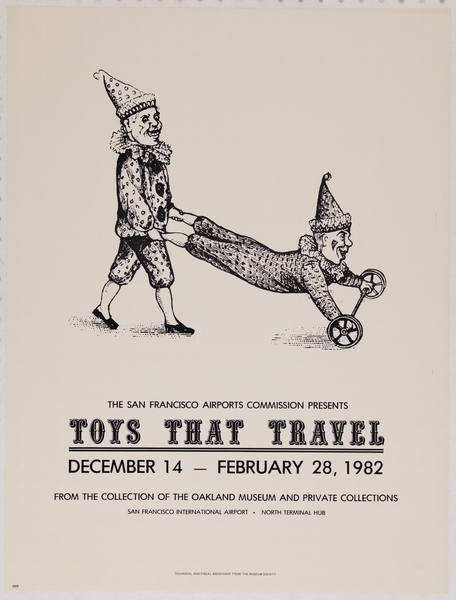
Which would create a document that looks like this:
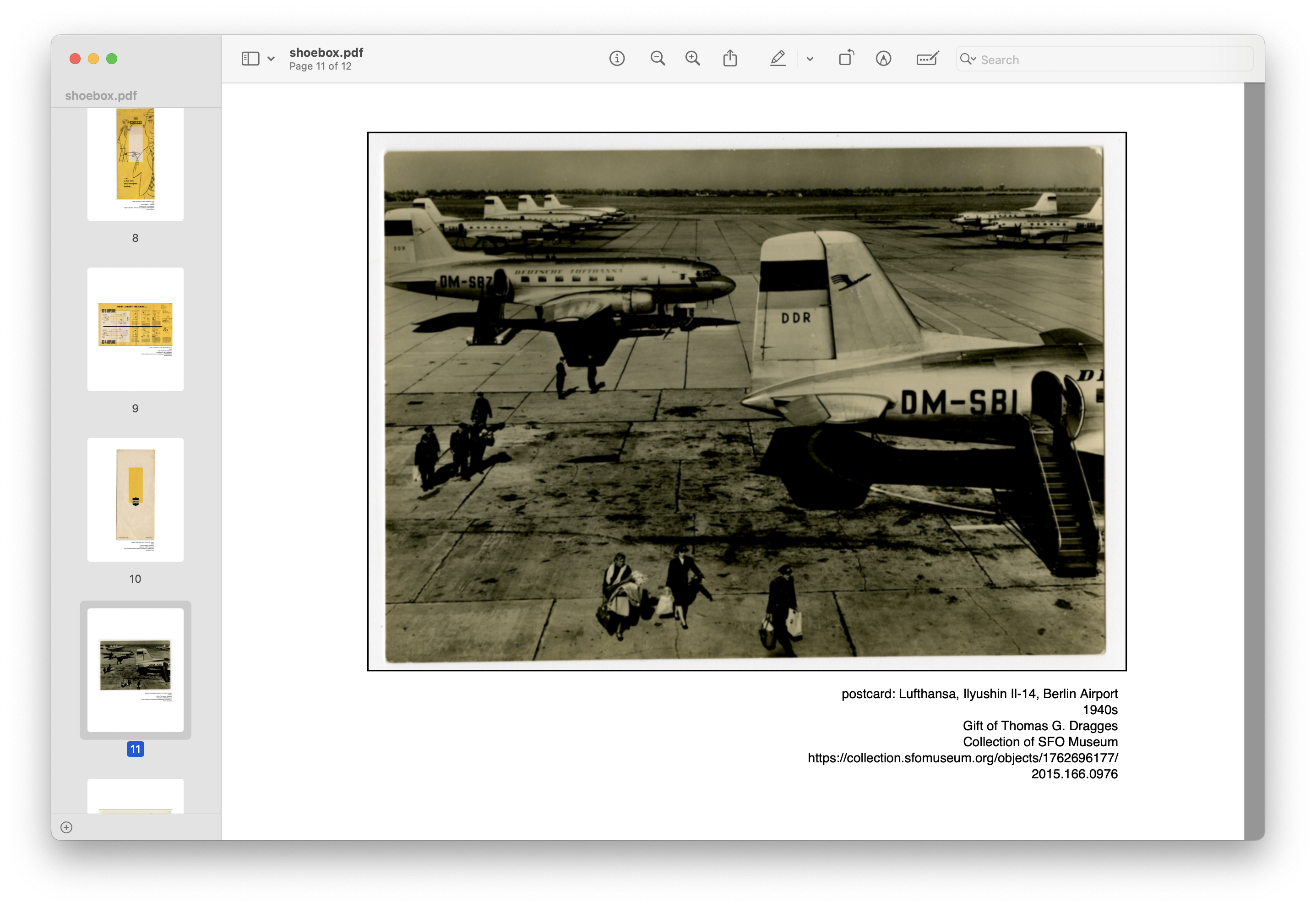
Each object image will include a caption like this:
postcard: Lufthansa, Ilyushin Il-14, Berlin Airport
1940s
Gift of Thomas G. Dragges
Collection of SFO Museum
https://collection.sfomuseum.org/objects/1762696177/
2015.166.0976
Instagram posts will look like this:
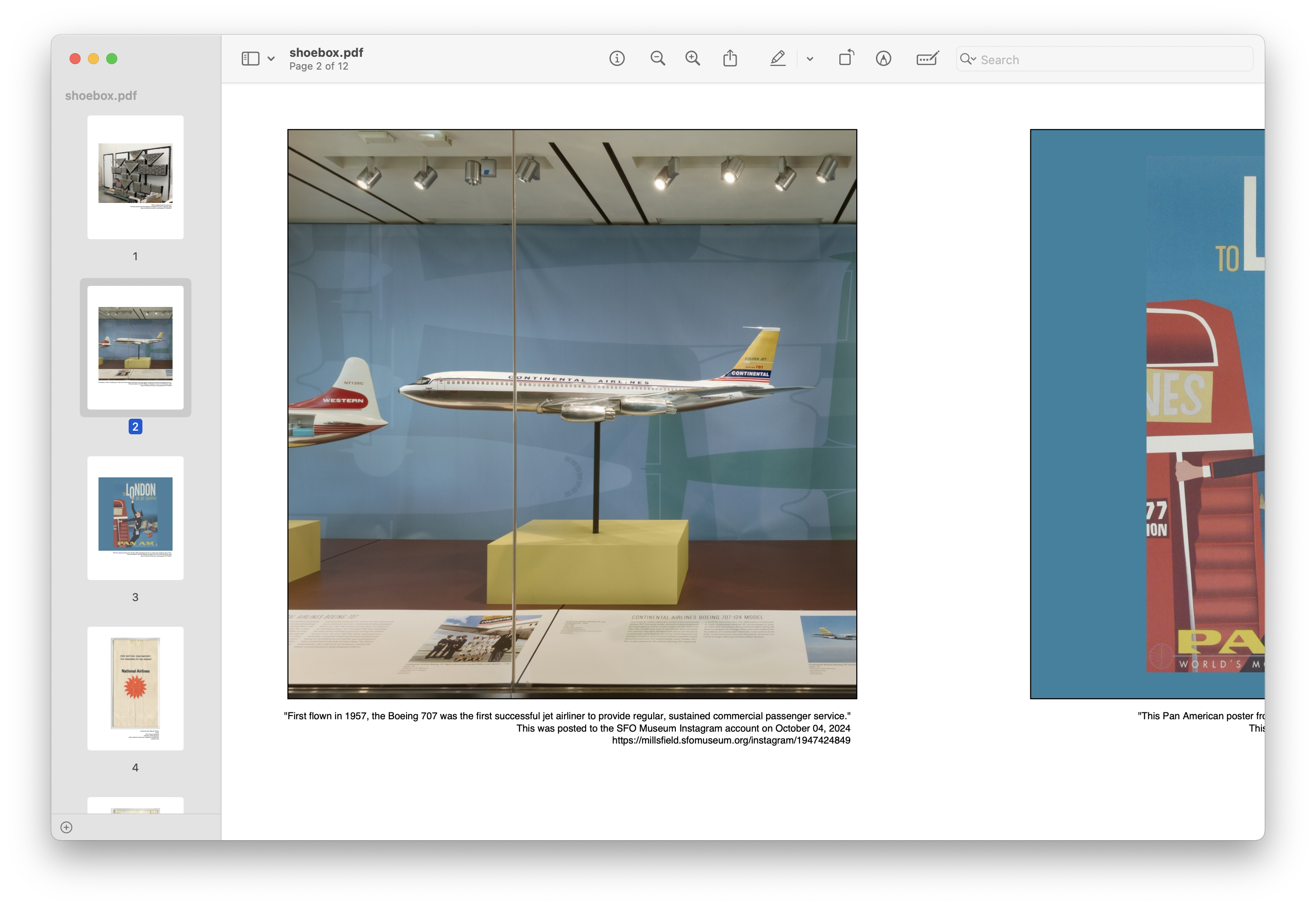
And their captions like this:
"First flown in 1957, the Boeing 707 was the first successful jet airliner to provide regular, sustained commercial passenger service."
This was posted to the SFO Museum Instagram account on October 04, 2024
https://millsfield.sfomuseum.org/instagram/1947424849
You can also download a copy of the picturebook PDF described here (21MB) to see what the finished product looks like. It is not currently possible to export individual flights saved to a shoebox but the hope is that this will be supported soon.
The SFO Museum API has actually been around for a while now. It’s what powers the object counts as you add and remove filters on the advanced search page on the Aviation Collection website and is how items are added to and removed from your shoebox from both the Collection and Mills Field websites. The various SFO Museum websites are API consumers just like any other application. We are pleased to be able to (finally) open up access to the API to you and we look forward to seeing what you create with it.