
Searching Text in Images on the Aviation Collection Website
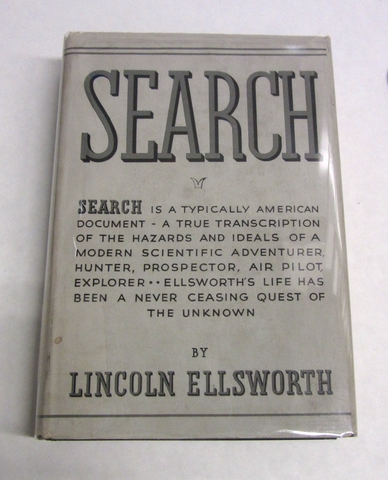
We are pleased to announce the introduction of a new, experimental, feature for search on the SFO Museum Aviation Collection website: The ability to search for text contained in the images of objects as well as the metadata (titles, descriptions, etc.) for those objects.

Because it is still an experimental feature there are some caveats that apply:
It is only available from the advanced search page and you must explicitly toggle a checkbox indicating you want to also search for a query term in the text that has been extracted from images.
While the tools we’re using to extract text from images are very good they still don’t recognize all text, don’t necessarily know to recognize phrases, and sometimes, in what we’ll assume is a well-meaning attempt to be helpful, simply return made up and gibberish text.
There are whole other conversations to be had about the machine learning processes being used behind the scenes that make this kind of functionality possible. These conversations are not the subject of this blog post but it is important to call attention to them and be explicit about the risks and open questions they pose and is one reason this work is considered “experimental” and why it is not enabled by default.
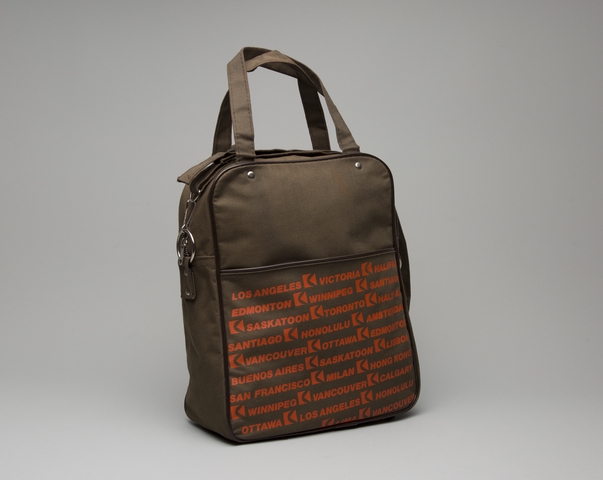
We want to see what these technologies make possible, though, and a very real and immediate opportunity is the ability to index search terms that the curators and registrars haven’t already included in the titles or descriptions for objects in our collection. For example, this travel bag from Canadian Pacific Airlines, covered in the names of cities the airline traveled to, is not included in the search results for the terms montreal or saskatoon using the default search functionality but it’s the first result when we also search for the text in images.
There are four images of this travel bag and these are the texts that we’ve extracted from those images:
LOS ANGELES [1 VICTORIA (NUR EDMONTON (WINNIPEO RIcani [ISASKATOON STORONTO IRALA SANTIAGO [SI HONOLULU ( AUSTERA VANCOUVER MOTTAWA (EDMONTO BUENOS AIRES ((SASKATOON [(us80l SAN FRANCISCO ( MILAN (HONGKON (WINNIPEG (VANCOUVER LICALCART OTTAWA (LOSANGELES & HONOLUL) KvANcOUVe
LOSINGELES A VICTORIA I HALIFAS DIDNTO L WINNIPEG I SANTIAGO (GASLITION STORONTO A HALIFAX MITIAGO & HONOLULU I AMSTERDAM KIANCOUVER lOTTAWA EDMONTON BUENOS AIRES I SASKATOON A LISBON LAN FRANCISCO MILAN I HONG KONG (WINNIPEG (VANCOUVER I CALGARY OTTAWA I LOS ANGELES I HONOLULU VANCOUVER
TORTO I SASKATOON ROME I MILAN I VICTORIA MAN) SANTIAGO I EDMONTON I REONA I MONTREAL I SANTIAGO LISBON SAN FRANCISCO E( SYONEY L ALAN K/ MILAN IRONE COrONEr KIROM MILAN I BUENOS ARES Snowman) LOS ANGELES AUCTORIA «(aura ) SANTIAGO [I HONOLULU LA ANSTEROL BUENOS AIRES SABRATOON LAus SAN FRANCISCO MILAN (ON NO! •WINNIPEG IVANCOUVER LIONEL OT
TOKTO KI SASKATOON ROME I MILAN I VICTORIA PI PI) MITIAGO I EDMONTON I REGINA HONTREAL [I SANTIAGO C LISBON MI FRANCISCO (I SYDNEY I MILAN MILAN I ROME I SYDNEY (ROME TN LI BUENOS AIRES I MONTREAL MANGELES I VICTORIA I MALIFAX BRONTON E WINNIPEG SI SANTIAGO (SBASSATOON 2 TORONTO C HALIFAX SANTAGO L HONOLULU C AMSTERDAM SIANCOUVER LOTTAWA E EDMONTON BUSIOSARES ASASKATOON LISBON SAN FRANCISCO I MILAN HONG KON° [(WIMPEO [IVANCOUVER (CALGARY
It’s clear that there are still mistakes (LOSINGELES, SABRATOON, MALIFAX, SIANCOUVER, LAN FRANCISCO and so on) but there are also just as many correct place names and that’s a nice addition to the descriptive text which accompanies the object:
Airline bag issued by Canadian Pacific Airlines, manufactured by TQ Tradex; brown background with dark brown piping, red logo and various city destinations as pattern on front pocket and back; adjustable shoulder strap with handles and top zipper closure; four plastic feet at bottom.
There is still a lot of experimenting to do to better understand the affordances and tolerances of searching for text in images. If I search for the terms “toys” and “travel” matching on individual words (rather than a complete phrase) I get back two results:
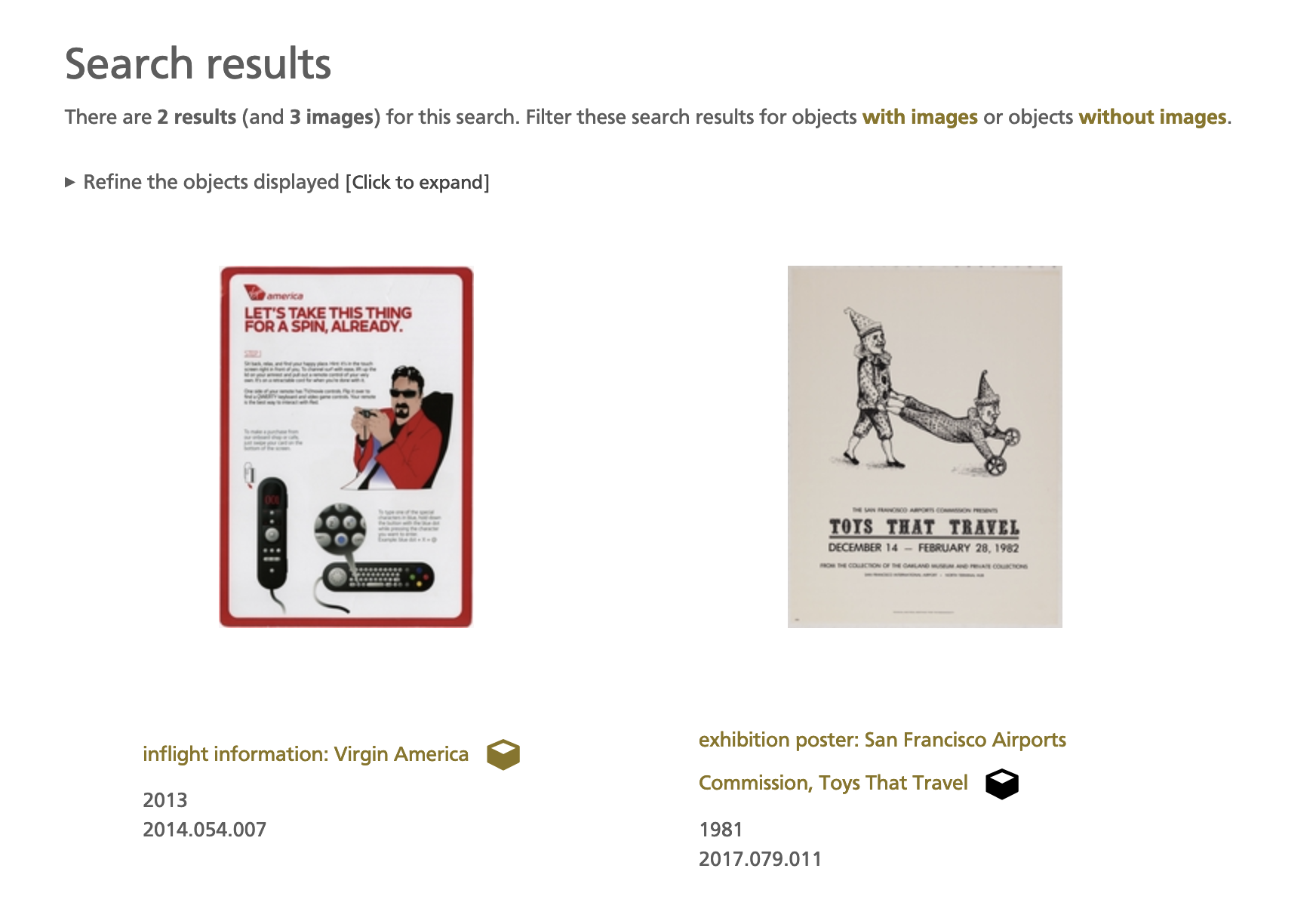
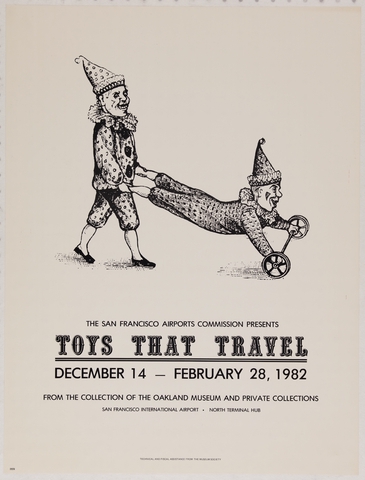
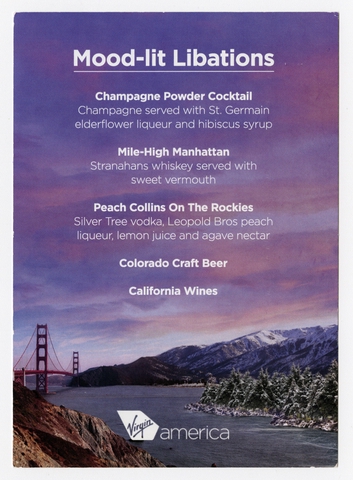
One is a poster for the “Toys that Travel” exhibition from 1982, on the right, and it’s easy to see why that was included (both terms are also included in the object’s descriptive text). The other is an in-flight information card from Virgin America, on the left, and it’s not immediately obvious why it’s been included.
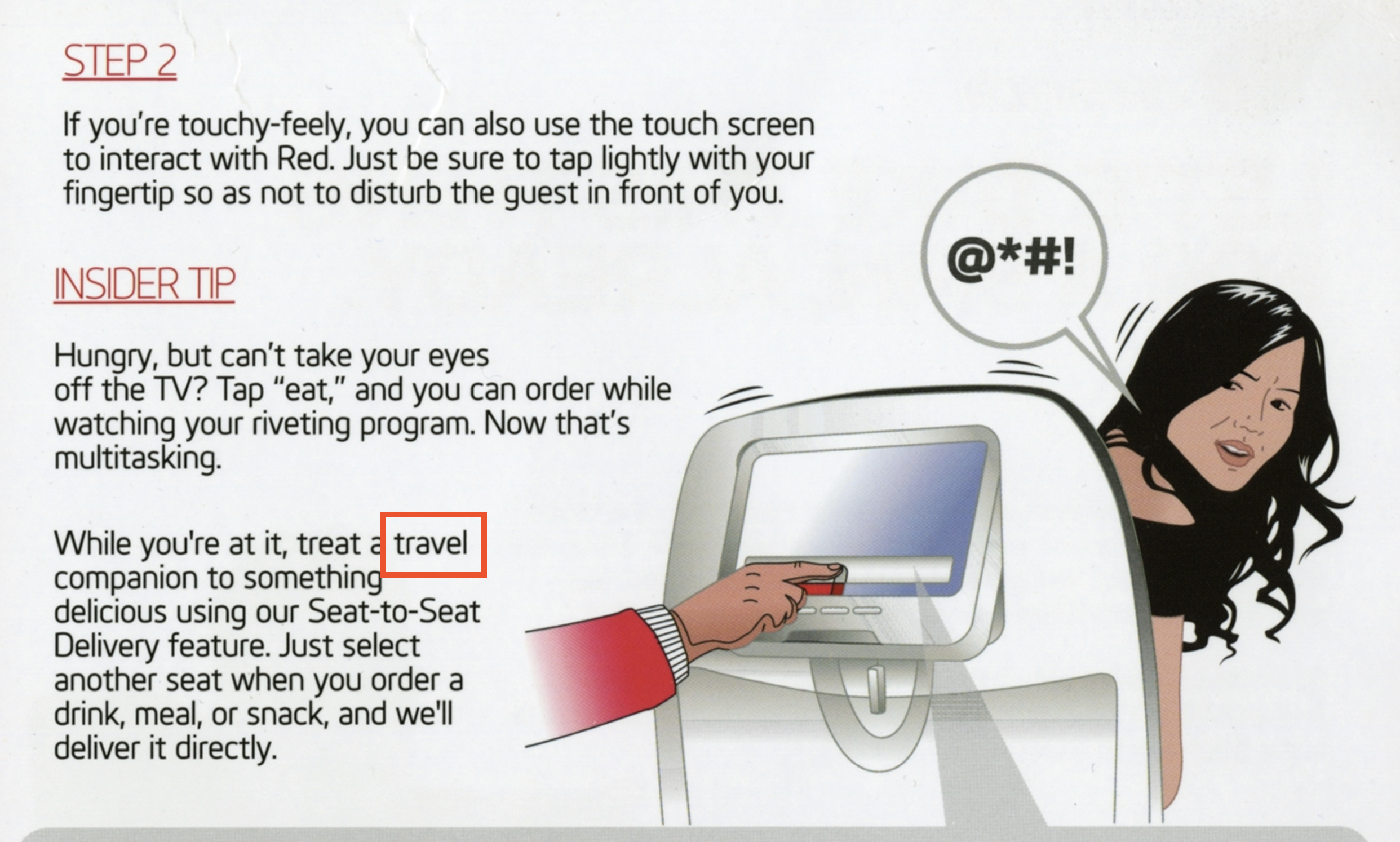
In fact, both search terms appear on the second photograph for the object depicting the backside of the information card and we currently don’t convey that information anywhere in the search results.
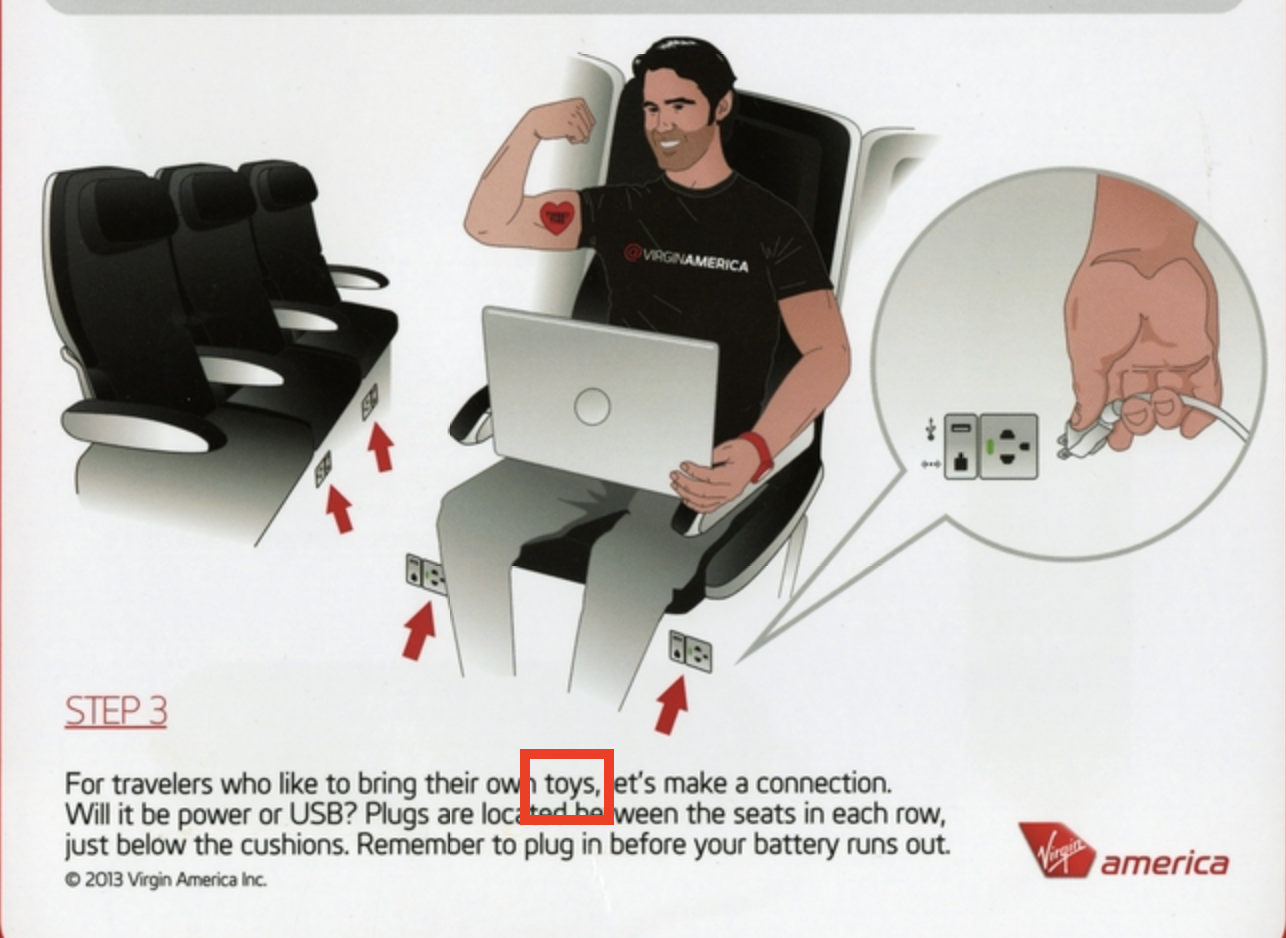
One reason we don’t convey these details is because the tools we’re using don’t capture information about where individual words and phrases are located in the images we’re scanning so that’s an obvious next step to investigate. Those tools are described below and have been open-sourced and we would welcome any feedback or help to improve them because we think the ability to effectively index search terms from images is generally useful for all museums.
In the meantime we hope that the ability to search for text in images will open up the collection to queries that might have yielded no results and, more generally, act as new avenue to discover objects in our collection that might have otherwise been missed.
Next steps
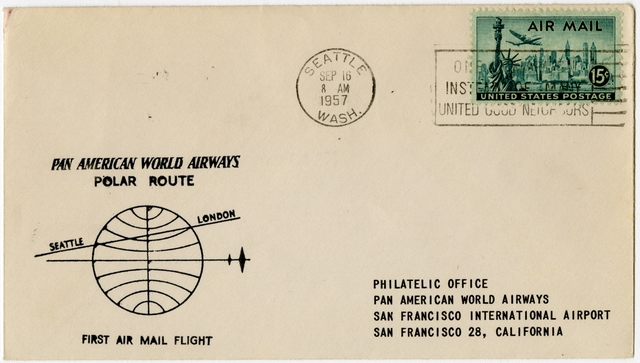
Other next steps include thinking about the design and interface elements that would allow visitors to search for text in images directly from the search box at the top of every page and creating a new workflow for recognizing and extracting structured addresses from the over 1,600 airmail flight covers in the collection (and to geocode all those addresses afterwards). There’s no timeline for any of this yet but we have started to think about it all.
The rest of this blog post gets in to the plumbing of how we are extracting text from images. If that’s not of interest you can stop reading now and we invite you to investigate the new searching-text-in-images feature on the advanced search webpage:
Under the hood
We are using Apple’s Vision Framework to extract text from images and we have written a number of tools to make using the Vision Framework a little easier. The first is swift-text-emboss which I wrote about in the blog post about the Accession Numbers Project and is really just a helper library hiding the details of working with Apple’s underlying VNRecognizeTextRequest methods. Here’s an abbreviated version of what that looks like:
import Foundation
import AppKit
import TextEmboss

let im = NSImage(byReferencingFile:path_to_image)
let cgImage = im.cgImage(forProposedRect: nil, context: nil, hints: nil)

let te = TextEmboss()
let rsp = te.ProcessImage(image: cgImage)

if case .success(let txt) = rsp {
	print(txt)
}
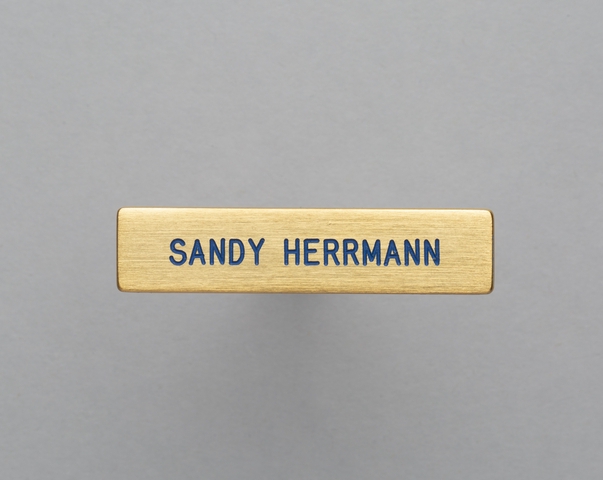
The second tool is swift-text-emboss which is a command-line tool that uses the swift-text-emboss package. It accepts the path to an image, extracts the text in that image and then prints the result to STDOUT. For example:
$> text-emboss sfomuseum-pin-2019.081.021.jpg
SANDY HERRMANN
The third tool is swift-text-emboss-www and is similar to swift-text-emboss-cli but instead of providing a command-line interface to extract text from images it starts an HTTP server that accepts image uploads and returns any text that’s been extracted (from the uploaded image) in the body of the response. For example, to start the server you’d do this:
$> text-emboss-server
2023-08-31T11:36:32-0700 info org.sfomuseum.text-emboss-server : [text_emboss_server] Server has started on port 8080 and is listening for requests.
And then in another window you would do something like this:
$> curl -F image=@1779445839_SfgRA4d51gAzgbClRnghkRVINAw2rOjF_b.jpg http://localhost:8080/
THE SAN FRANCISCO AIRPORTS COMMISSION PRESENTS
TOYS THAT TRAVEL
DECEMBER 14 -
- FEBRUARY 28, 1982
FROM THE COLLECTION OF THE OAKLAND MUSEUM AND PRIVATE COLLECTIONS
SAN FRANCO INTERNATIONAL AIRPORT • NORTH TERMINAL STIR
We wrote swift-text-emboss-www to account for the fact that we do nearly all the work to export data and images for the collection.sfomuseum.org website on Linux machines. The Vision framework is only available on the MacOS and iOS platforms so the idea is that we can continue to do most of our work on Linux machines but when it comes time to extract text from images we can call the swift-text-emboss-www server running on a dedicated MacOS machine. In our case that will be a spare laptop that is no longer being used for day-to-day work but still has enough life left in it to be useful for extracting text from images instead of just becoming a paperweight.
The fourth tool is swift-text-emboss-grpc and is similar to swift-text-emboss-www except that instead of exposing text-extraction services over HTTP (the web) it uses the gRPC protocol which is a stricter and generally more efficient way of doing the same thing (uploading an image and receiving the text contained in it). For example, to start the server you’d do this:
$> text-emboss-grpc-server
2023-09-01T11:48:13-0700 info org.sfomuseum.text-emboss-grpc-server : [text_emboss_grpc_server] server started on port 1234
And then using this client in another window you’d do this:
$> go run cmd/emboss/main.go -embosser-uri 'grpc://localhost:1234' menu.jpg
Mood-lit Libations
Champagne Powder Cocktail
Champagne served with St. Germain
elderflower liqueur and hibiscus syrup
Mile-High Manhattan
Stranahans whiskey served with
sweet vermouth
Peach Collins On The Rockies
Silver Tree vodka, Leopold Bros peach
liqueur, lemon juice and agave nectar
Colorado Craft Beer
California Wines
"america
Importantly, there is nothing special about the gRPC client we are using in this example. The whole promise of gRPC is that it enjoys broad support across a number of programming languages and because it uses formal definitions for its input and output it is very easy to create your own custom gRPC client for any given service.
Honestly, I wasn’t planning on writing a gRPC server but I had enough time to wait while running a backfill process that I decided to do it as a kind of wax on, wax off exercise and, in the end, this is probably what we’ll use going forward. It is not orders of magnitude faster than the HTTP server but it is faster. It is also a good template for other services taking advantage of Apple-specific libraries and frameworks that I want to investigate in the future.
All of these tools are available from SFO Museum’s GitHub account and we welcome any feedback, suggestions or patches that you think would help to improve them:
- https://github.com/sfomuseum/swift-text-emboss
- https://github.com/sfomuseum/swift-text-emboss-cli
- https://github.com/sfomuseum/swift-text-emboss-www
- https://github.com/sfomuseum/swift-text-emboss-grpc
Finally, the text extracted from images is included in the data contained in both the sfomuseum-data-media-collection and sfomuseum-data-collection repositories, available from the sfomuseum-data GitHub organization.