
Map updates, December 2025 - Now with more PMTiles
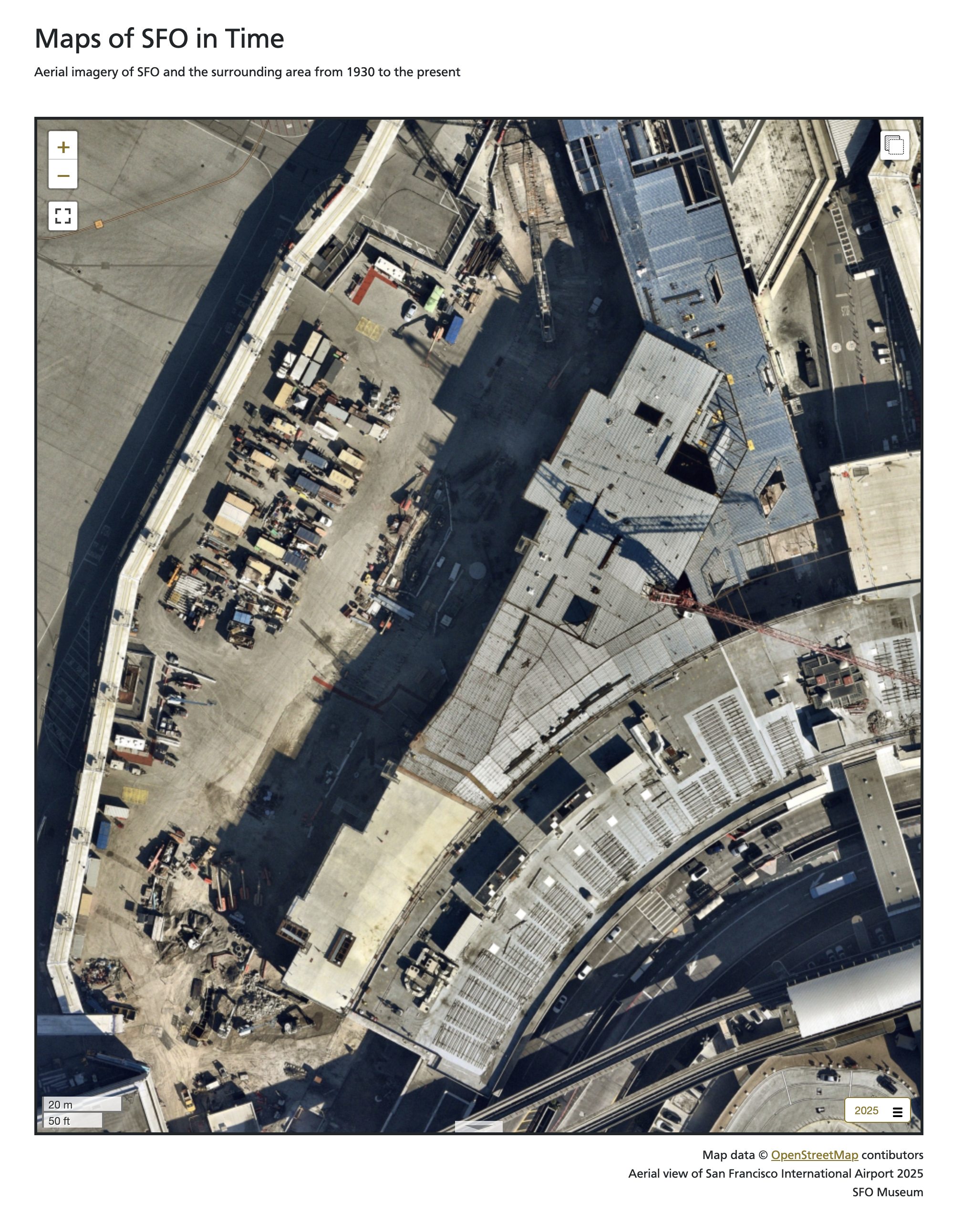
All of the maps on the SFO Museum Mills Field and Aviation Collection websites have been updated to include new aerial imagery of SFO from October, 2025. For example, here is what the ongoing T3 West construction project looks like from above.
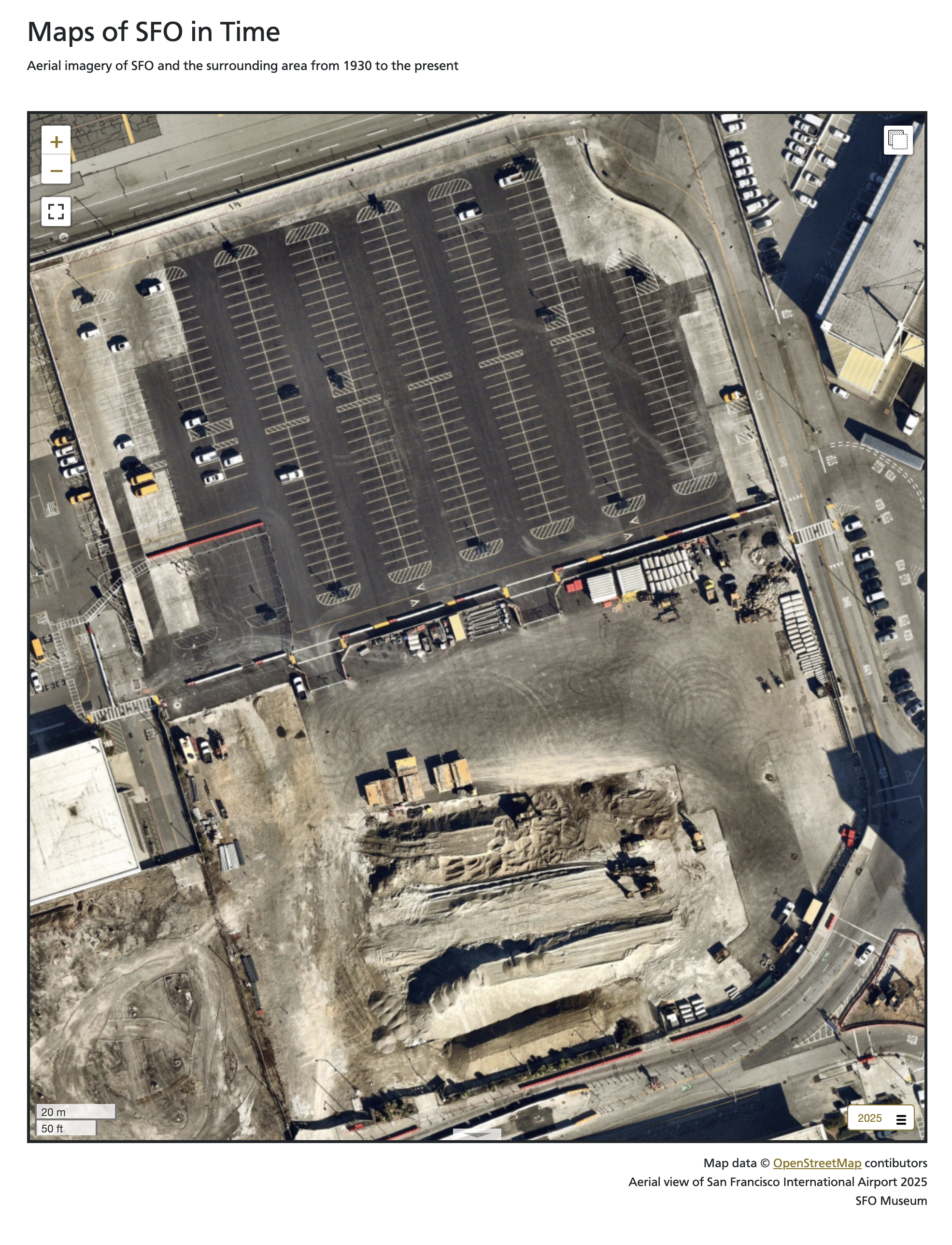
And this is what the area previously occupied by the old USPS Building, first opened in the late 1960s, looks like today.
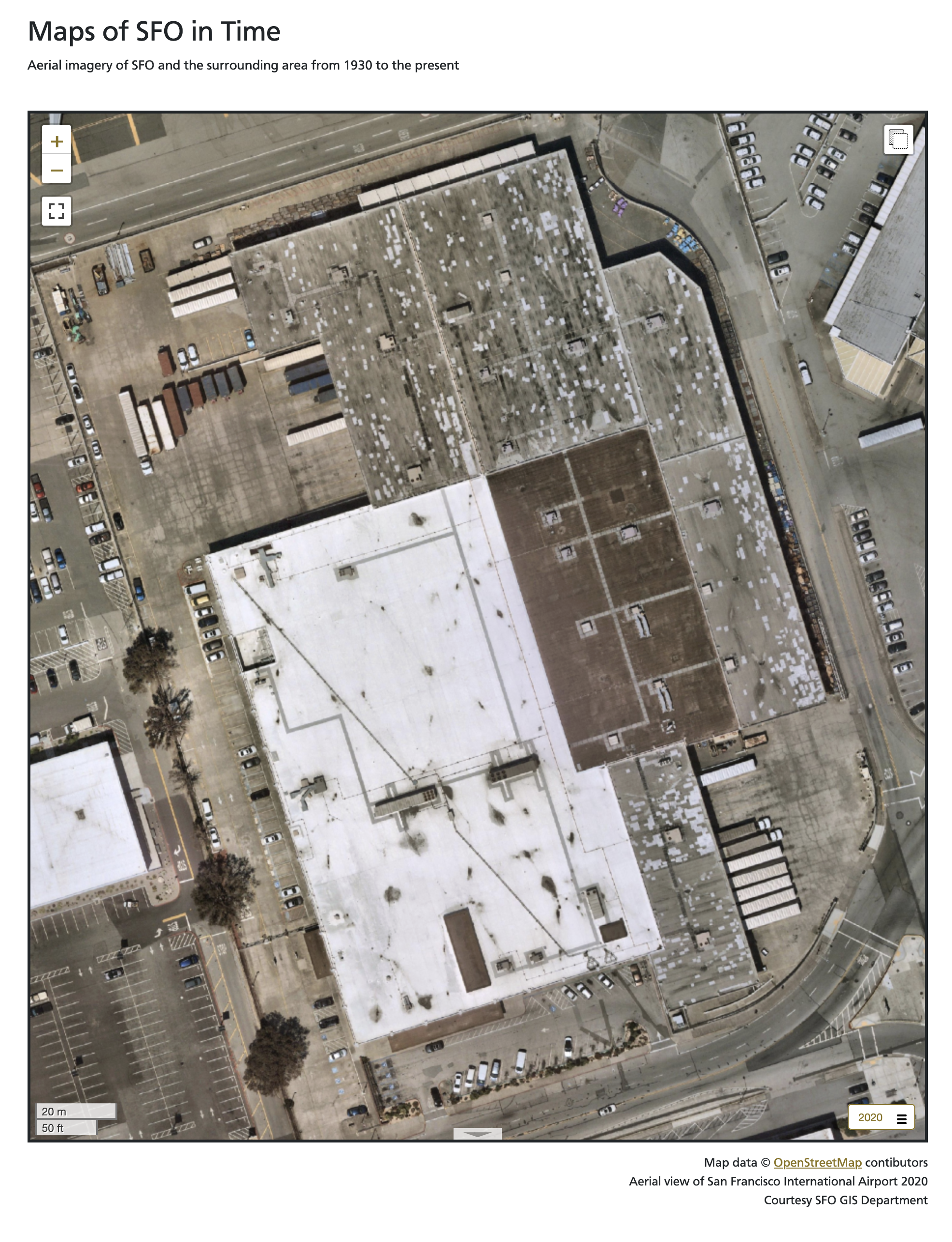
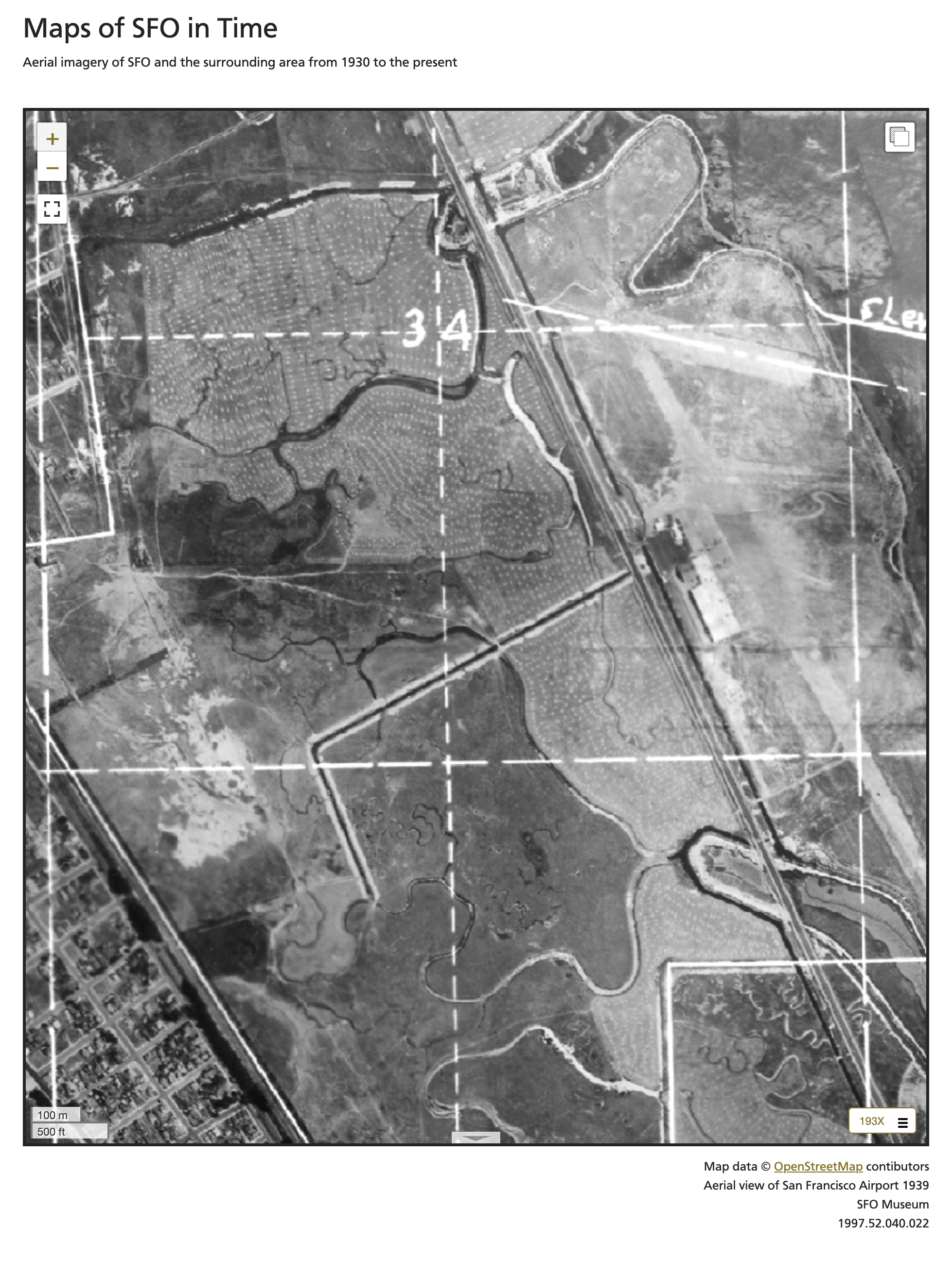
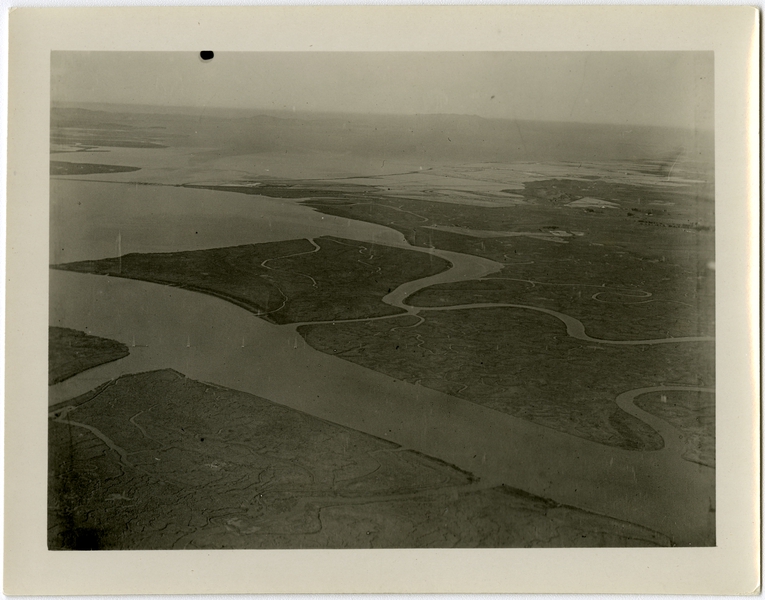
This is what it looked like in 2020. 86 years ago, in the late 1930s, it was all still mostly marsh land; the airport had only been open for a dozen years at that point.
In addition to 2025, we’ve also added new imagery from 1920, 1936 and 1961 all produced using the Allmaps Editor to georeference existing collections materials. I’ll talk more about some of the tools and workflows we’ve developed to work with Allmaps in a future blog post. All of these new maps have been added to the interactive map application on display in the Terminal 2 SkyTerrace Observation Deck. As part of those updates we’ve also started serving these historic maps from PMTiles databases rather than folders full of individual tiles on disk. To explain why I need to start by revisiting the design and structure of the interactive map application in the SkyTerrace.

It is a native iOS application which wraps, and relays messages between, two web applications using the Leaflet.js framework to display maps; one on an iPad and the other on an external display. I wrote about this design in the iOS Multi-screen Starter Kit blog post. The original design saw the application using the iPad as the primary “controller” interface. In order to reflect people’s relunctance to touch shared surfaces, following the COVID-19 pandemic, the application was updated to work with, and be controlled, by a passenger’s personal device (their phone). This was written about in the Presenting the SkyTerrace Interactive Map at NACIS 2022 blog post.
The application was originally designed to run entirely offline and even though we introduced changes to support a remote server component (used to broker messages between a passgener’s phone and the iOS device running the SkyTerrace application) the goal has always been to keep things as self-contained as possible. Rather than fetch map tiles from a remote server those tiles have always been bundled with the application itself. All 50 gigabytes of them. Bundling that many assets in an iOS app is impractical as is copying that many individual files to the applications “Documents” folder (the dedicated space on an iOS device belonging to an application). Instead, we encoded all the tiles in to a limited number of per-year MBTiles (SQLite) databases which, while just as large, took much less time overall to copy to the iPad.
This introduced another problem: The inability for client-side web applications to read data from SQLite databases. To address this we created a custom Leaflet layer provider that intercepts tile requests and shuttles them up to the parent iOS application using the WebKit JavaScript to iOS code bindings. The parent application then reads the tile data from the corresponding SQLite database (in the “Documents” folder) and sends the data back down to the Leaflet tile handler, whereupon it is displayed on the map. Convoluted, but it works.
As mentioned, the interactive application now has a server-based component which is also designed to run without any external or remote assets. Like the iOS application it has (had) its own local copy of the MBTiles (SQLite) databases used for serving map tiles to the “controller” web application. This set up depends on the use of some specialized libraries for serving the contents of those databases which is fine for things like the SkyTerrace interactive but is not how we serve map tiles in our other public-facing web applications. Those websites have always used use plain-vanilla raster tiles hosted from an AWS S3 bucket.
All in all, it’s a way of doing things that, while more complicated than I would prefer, has worked and served us well since the opening of the SkyTerrace. Eventually I realized (remembered) that it is possible to store and serve raster data in a PMTiles database, just as easily as you can vector data. PMTiles databases are “a single-file archive format for pyramids of tiled data” which allows them to be stored and served from low-cost storage platforms like AWS S3. Importantly, data (tiles) are read directly from those PMTiles databases using HTTP Range requests issued by the (client-side) map itself meaning there no is no need for specialized software to serve map tile requests. he arrival of the 2025 aerial imagery presented an opportunity to simplify things across the board:
- We could continue to use S3 to serve historic imagery stored in PMTiles databases, meaning we didn’t have to change much of anything in our existing web applications.
- We were still copying a finite number of PMTiles, rather than MBTiles, files to the iOS application, just as we had before.
- The server-based component of the SkyTerrace application could be simplified to remove all the logic to read per-tile data from MBTiles databases. Now it only had to serve the PMTiles databases like any other file a web server handles requests for and all the work of reading tile data would be handled by the Protomaps client libraries.
- All of the different map applications could use the same code for displaying tiles.
Progress!
One criteria for using PMTiles databases inside a web application running inside an iOS application is that the tiles themselves still need to be served from a web (HTTP) server. I wrote about this in the Serving map tiles to yourself using Protomaps and iOS blog post. That post described how to use the swifter library to serve PMTiles databases bundled with an iOS application. Those examples were derived from work that came from having to address some issues in iOS 15 which affected the interactive map application’s ability to render the coastline of the San Francisco Bay Area. The fix (loading coastline data from an embedded PMTiles database) was no longer necessary following the release of iOS 16 but it did demonstrate the ease of integrating local PMTiles databases with an iOS application.
The swifter library is great at what it does but it also hasn’t had any new releases since 2020. After a bit of poking around I decided to replace it with the Vapor framework. This was by and large a simple replacement: When the interactive application starts launch this web server, instead of that web server, in the background and make requests to it from the default web application. The one wrinkle is that the Vapor framework does not ship with a default handler (sometimes called “middleware”) for serving data (namely PMTiles databases) from an application’s “Documents” folder. So we wrote a custom handler to do just that and we have bundled all of this work in to an example iOS app called sfomuseum/VaporProtomapsiOS which is available from our GitHub account here:
This is not the interactive map application on display in the SkyTerrace but, instead, an “experimental iOS application demonstrating how to render and display local Protomaps map tiles in a WKWebView-based web application, served from a separate Vapor-based web server running in the background.” This example application has the ability to serve tiles that are bundled with the application itself and from tiles that can be read from the “Documents” folder.
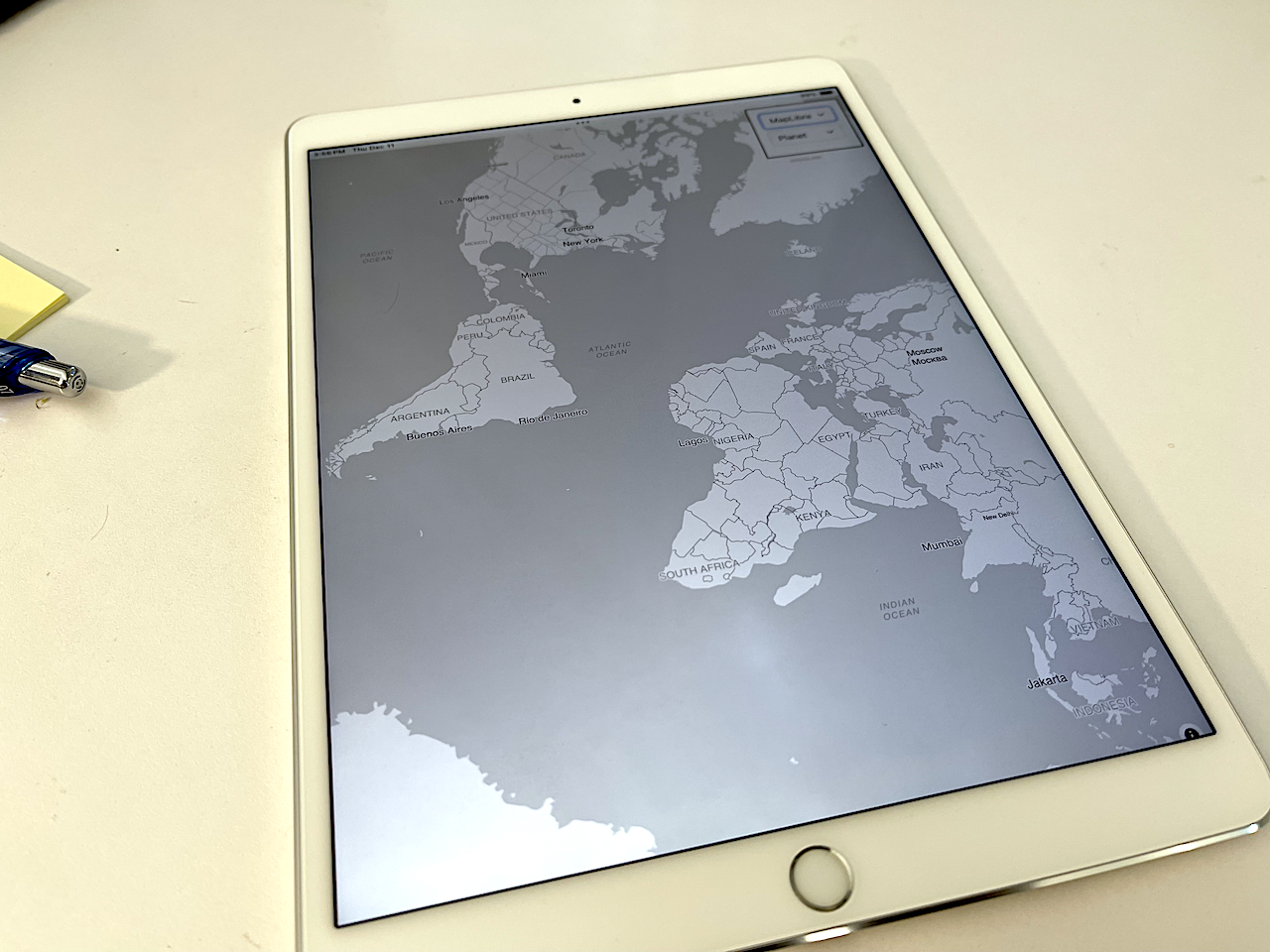
The reason I think this is interesting and exciting is that, in 2025, many iOS devices ship with at least 256GB of disk space and the PMTiles database of OpenStreetMap vector tiles for the entire planet is only 130GB. That means it is possible to create applications which run entirely offline but which still have support for global streel-level maps and which are able to run on older or recycled hardware. For example we’ve been developing this application on a spare iPad from 2017. Here are some screenshots to demonstrate how the application works.
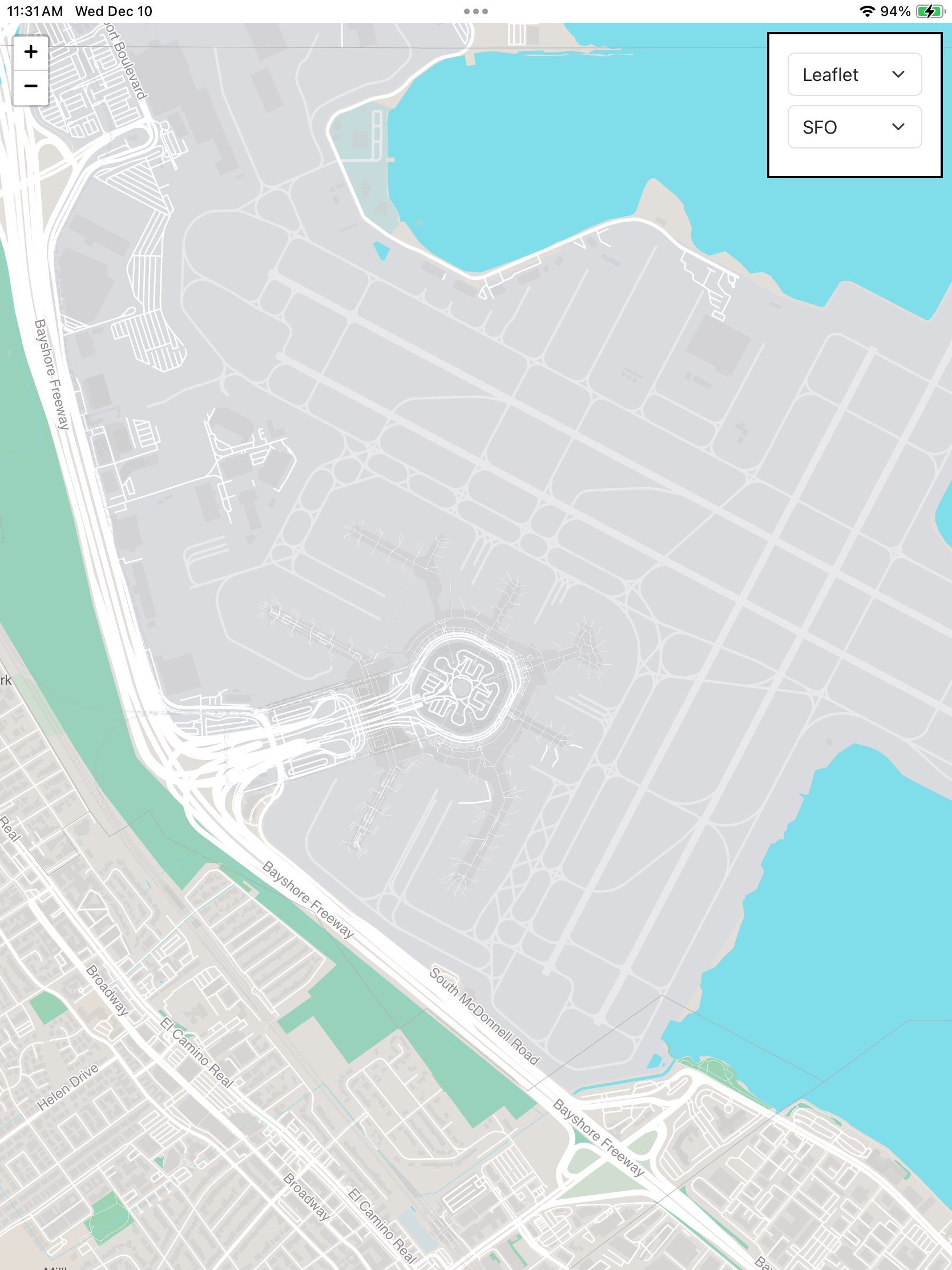
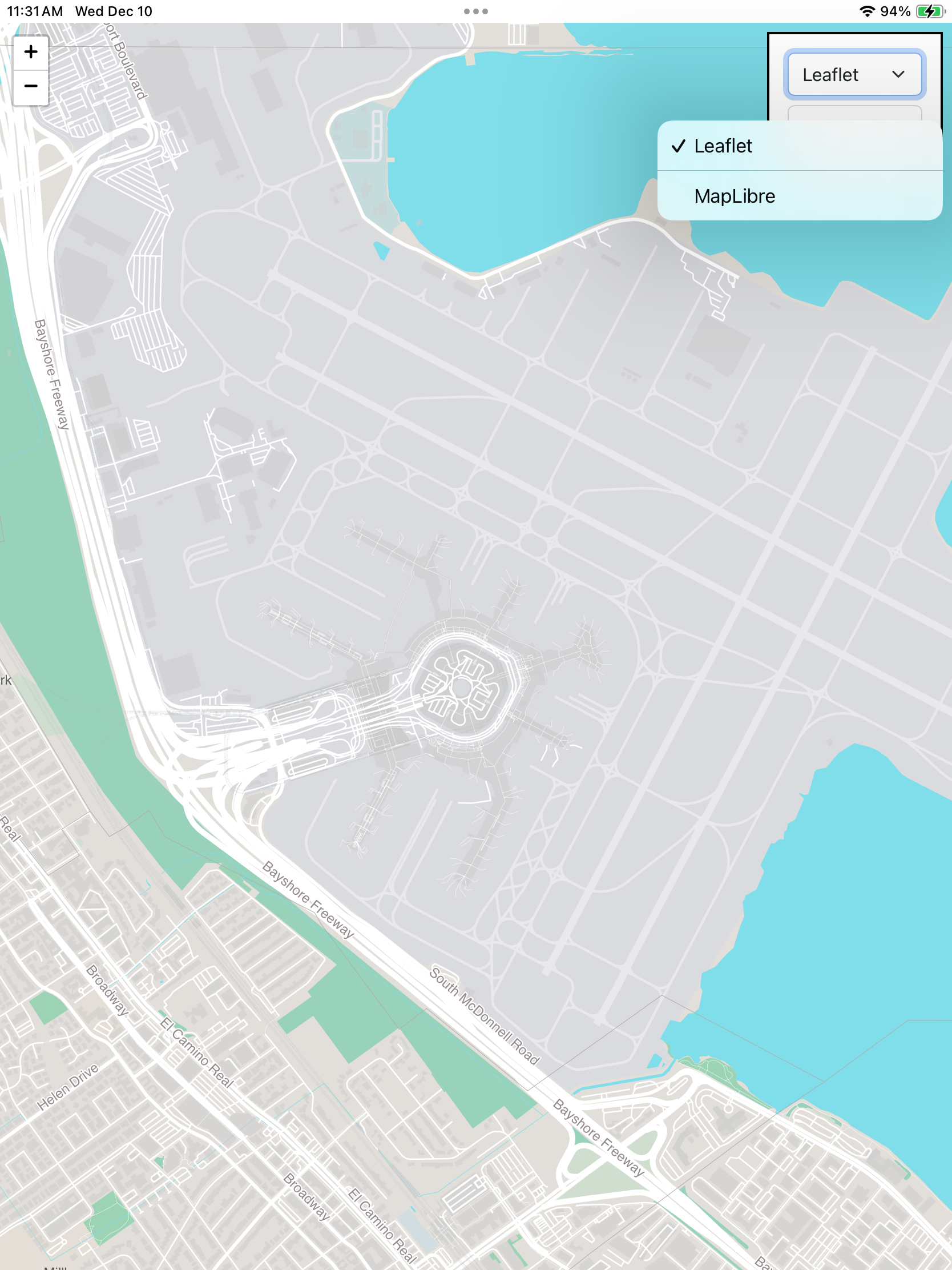
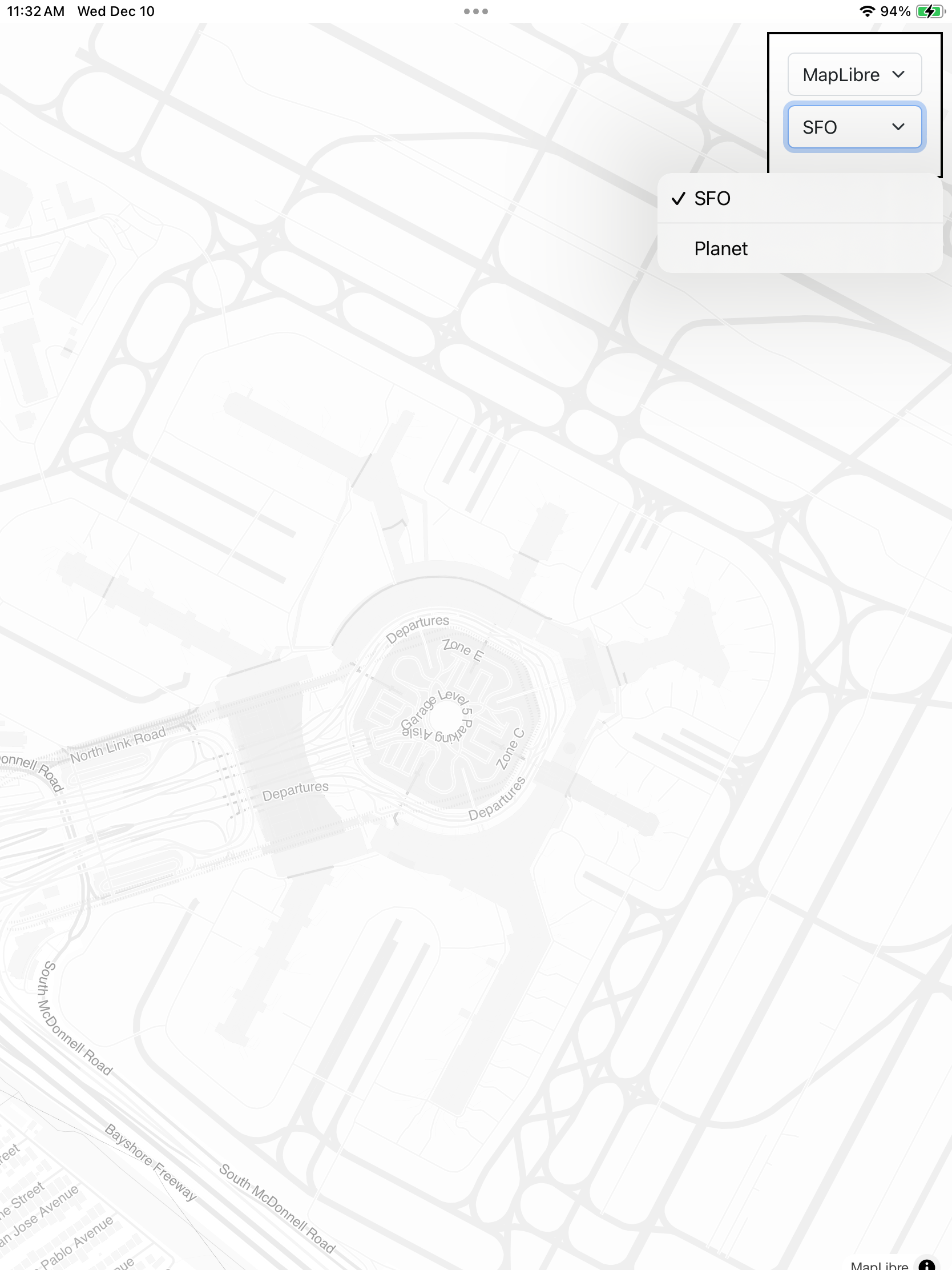
When the application launches it centers on SFO using tiles provided by the sfo.pmtiles file bundled in the www.bundle folder and returned using Leaflet. You can toggle between the Leaflet and MapLibre frameworks to render the vector data in the PMTiles database.
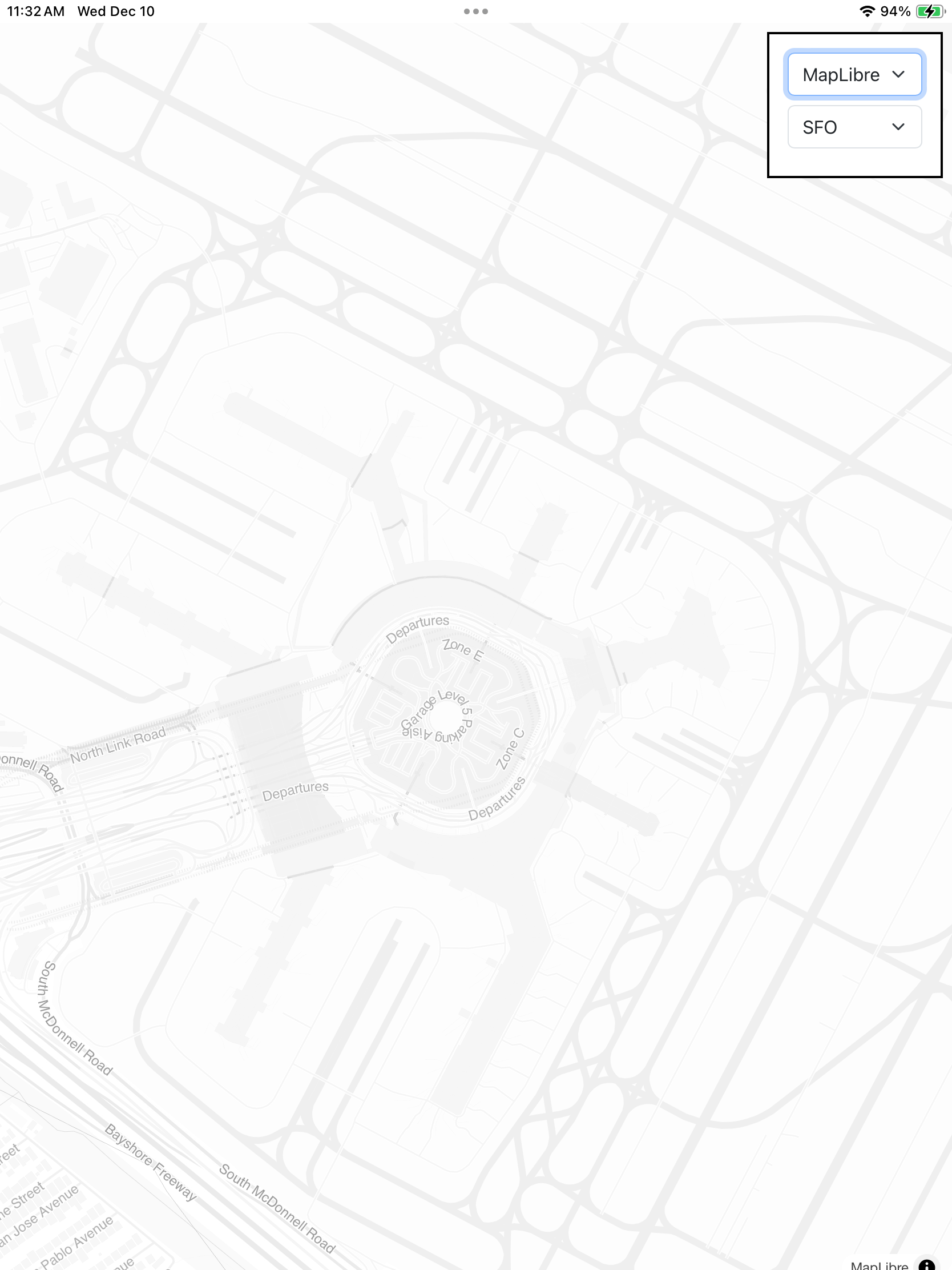
This is the same initial view of SFO rendered using MapLibre and a different map style (or “theme”).
When the application starts it checks for the presence of a file named “planet.pmtiles” at http://localhost:8080/planet.pmtiles. This is expected to be a PMTiles database of the entire world downloaded from the Protomaps Maps Builds website and manually copied in to the application’s Documents folder (which can be done under the MacOS Finder/iTunes “Files” tab or using the Apple Configurator app). Note that global PMTiles databases are very large (over 130GB) so they take a while to download and to copy to the device.
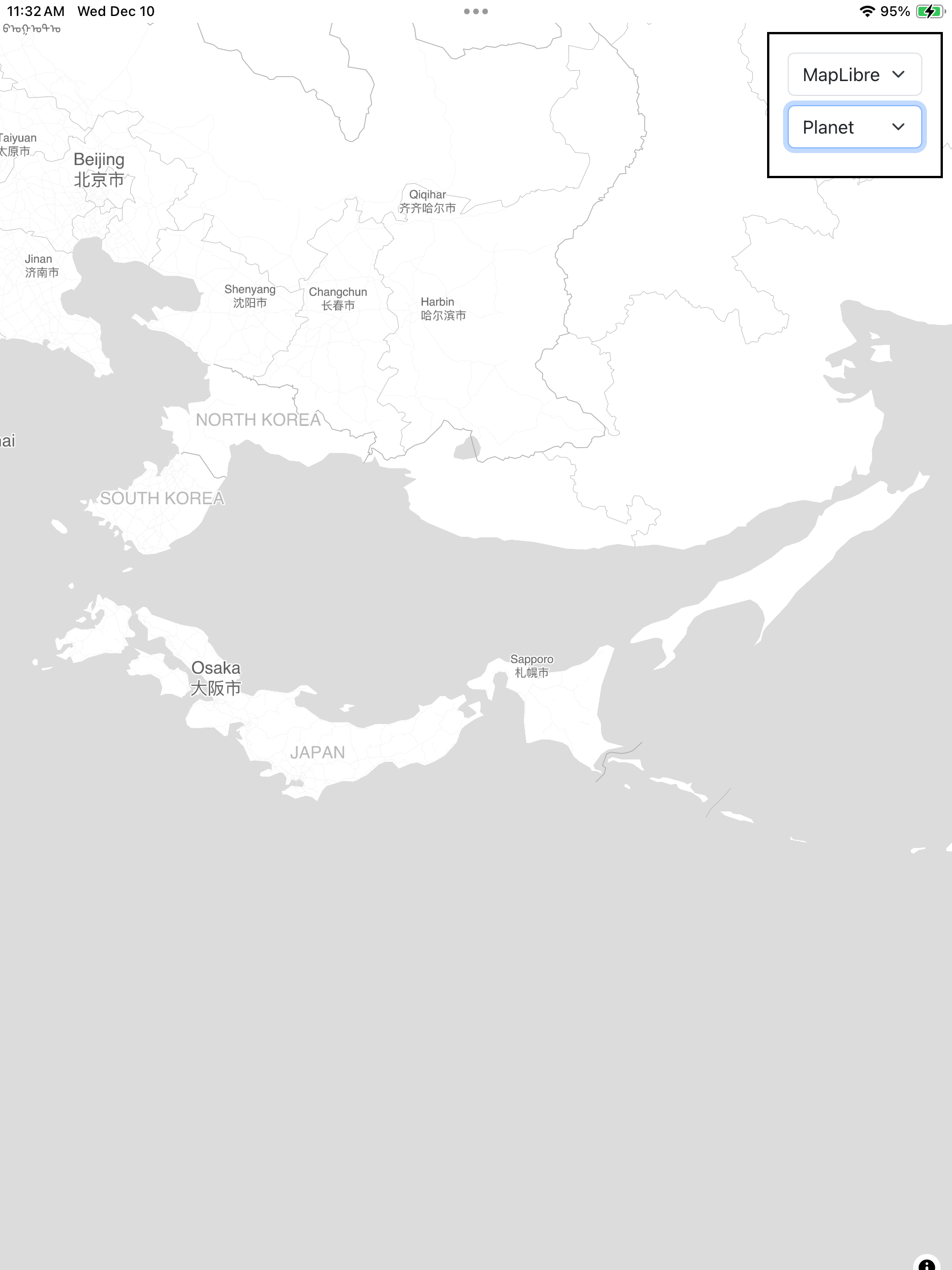
If the file (planet.pmtiles) is present then the “target” menu will be updated to include it as an option. Careful readers will note that the application is looking for the presence of any file named “planet.pmtiles” which means you could put a smaller PMTiles database with the same name in the Documents folder and that would work too. A future release might first query the Documents folders for all the files ending in “.pmtiles” and update the menu accordingly.
Now you can pan the map to anywhere on the world. Remember: This is running locally. No requests for map data are being sent to, or retrieved from, a remote server.
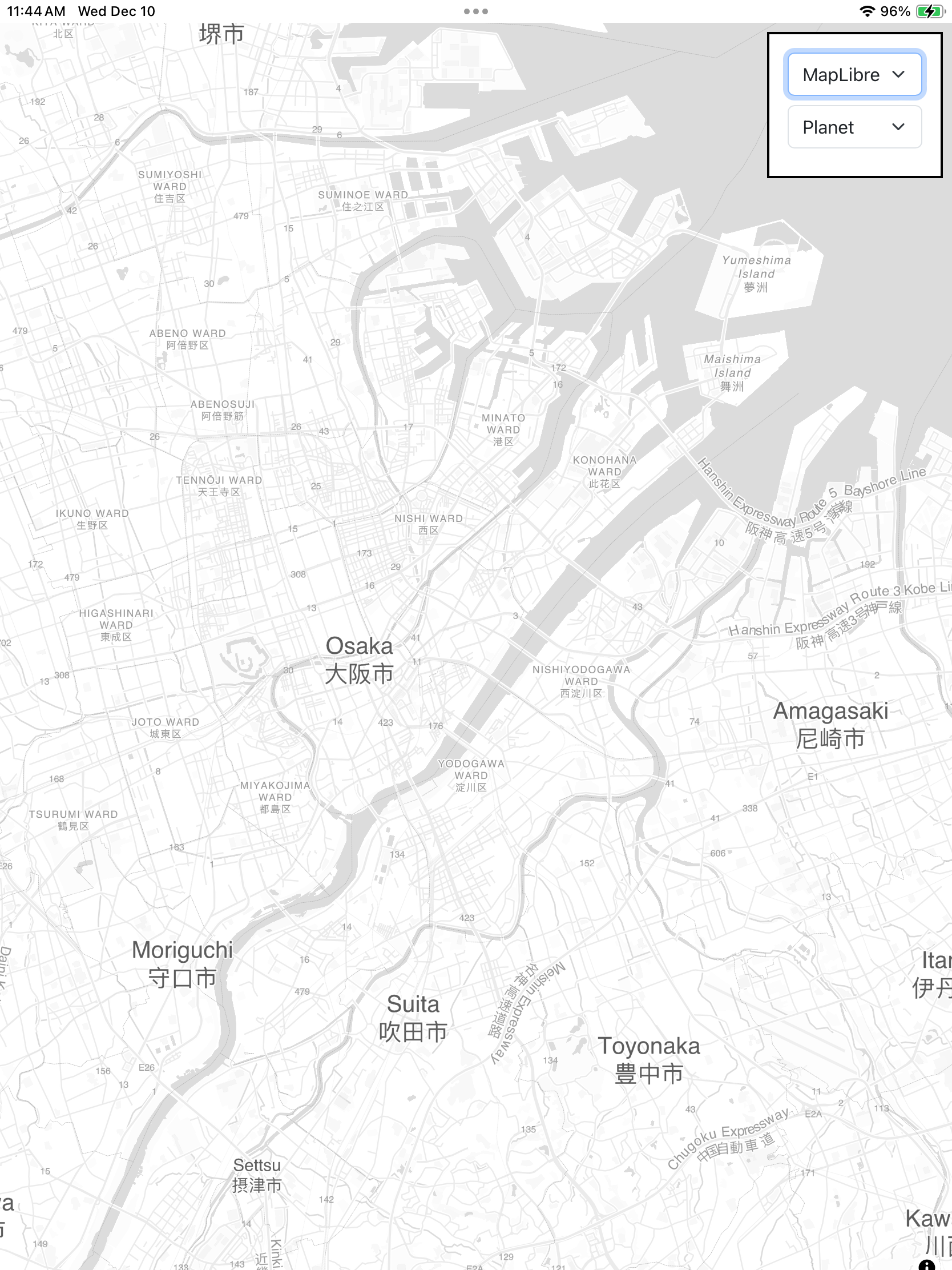
As with all MapLibre maps you can rotate the map itself so that the top of the map is not necessarily pointing North.
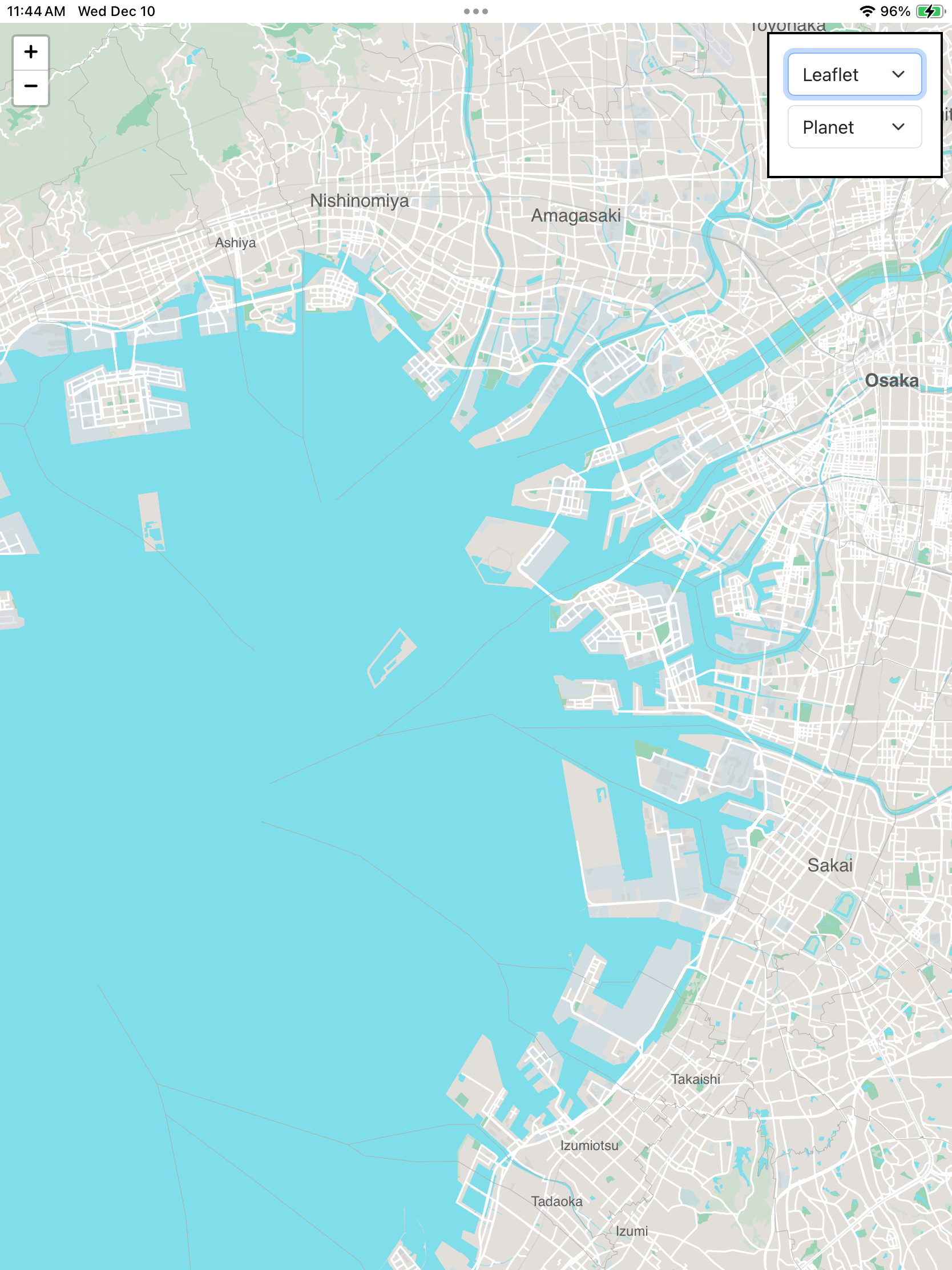
Switching back to rendering map tiles with Leaflet will restore a North-oriented map view.
That’s really all the application does. Its purpose is to demonstrate the feasibility of an offline, and customizable, map with global coverage running on low-cost hardware. We have some ideas of where we’ll go next with these new opportunities and we’d love to hear, or see, what you do with them too.