Building a custom Placeholder geocoding database

I’ve written about the Placeholder geocoder a few times in the past. It is a “coarse” geocoder (meaning it does not handle street addresses) with global coverage, and support for multiple languages, that runs out of a single 5GB SQLite database. It uses data from the Who’s On First project which means that every result is returned with a stable persistent identifier. Placeholder is great but there are three things it doesn’t support by default which are pretty important for SFO Museum:
- The inclusion of airports in the search index (specifically records of type
campus). - The inclusion of historical records in the search index (specifically records which have been superseded or are flagged as “not current”).
- The inclusion of SFO Museum records in the search index (specifically records from the sfomuseum-data-architecture repository).
I am happy to say that we are now able to build our own custom Placeholder SQLite databases which address all of these issues. For example, historical records:
$> npm run cli -- Yugoslavia

> pelias-placeholder@0.0.0-development cli
> node cmd/cli.js Yugoslavia

Yugoslavia

took: 3.924ms
 - 1108955789   country         Kingdom of Yugoslavia
 - 1126113567   country         Socialist Federal Republic of Yugoslavia
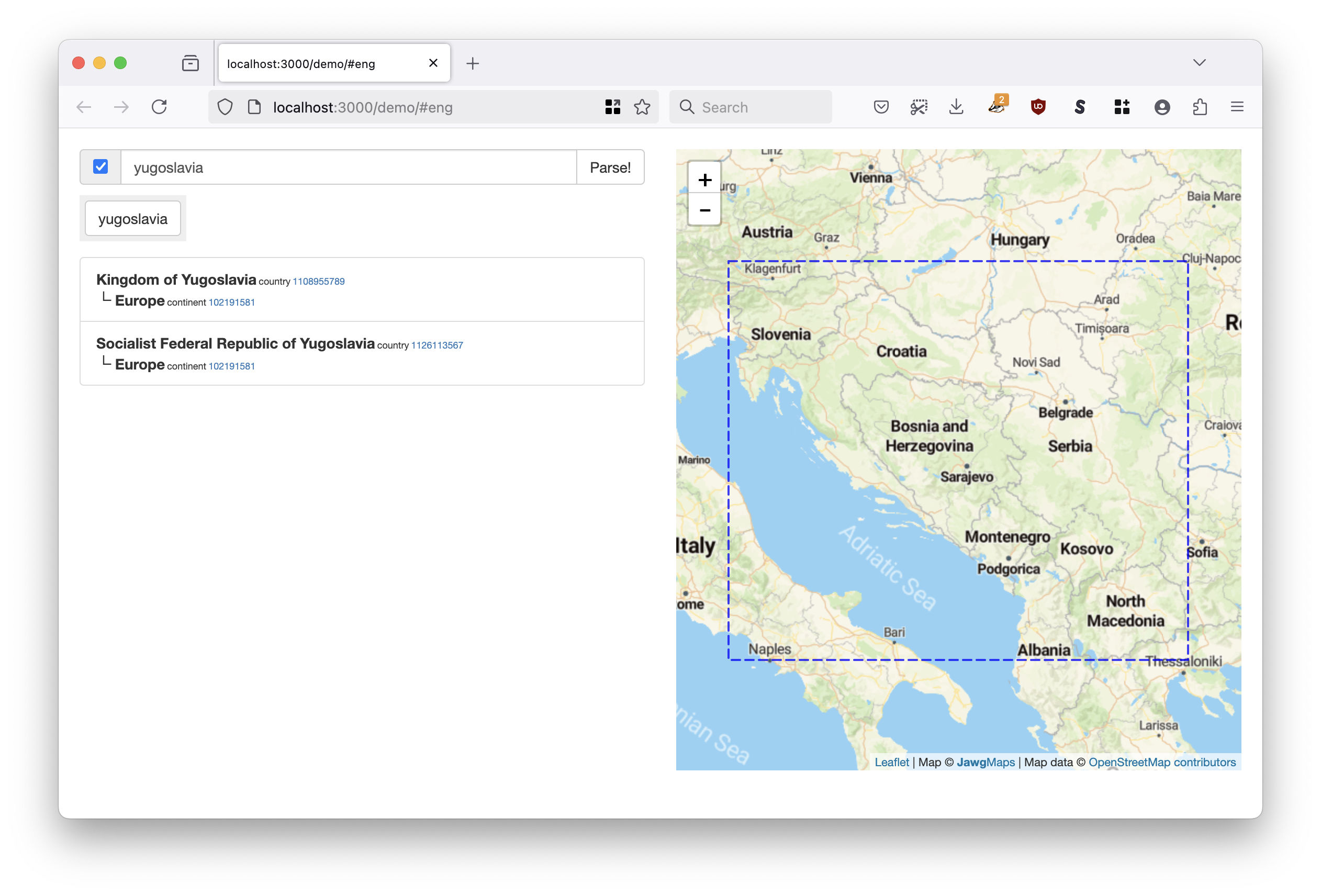
We have a bunch of photos from Zagreb in the 1950s so the ability to associate those objects with a country that “doesn’t exist anymore” is important. And airports:
$> npm run cli -- CDG

> pelias-placeholder@0.0.0-development cli
> node cmd/cli.js CDG

CDG

took: 3.795ms
 - 102544459	campus 	Paris Charles de Gaulle Airport
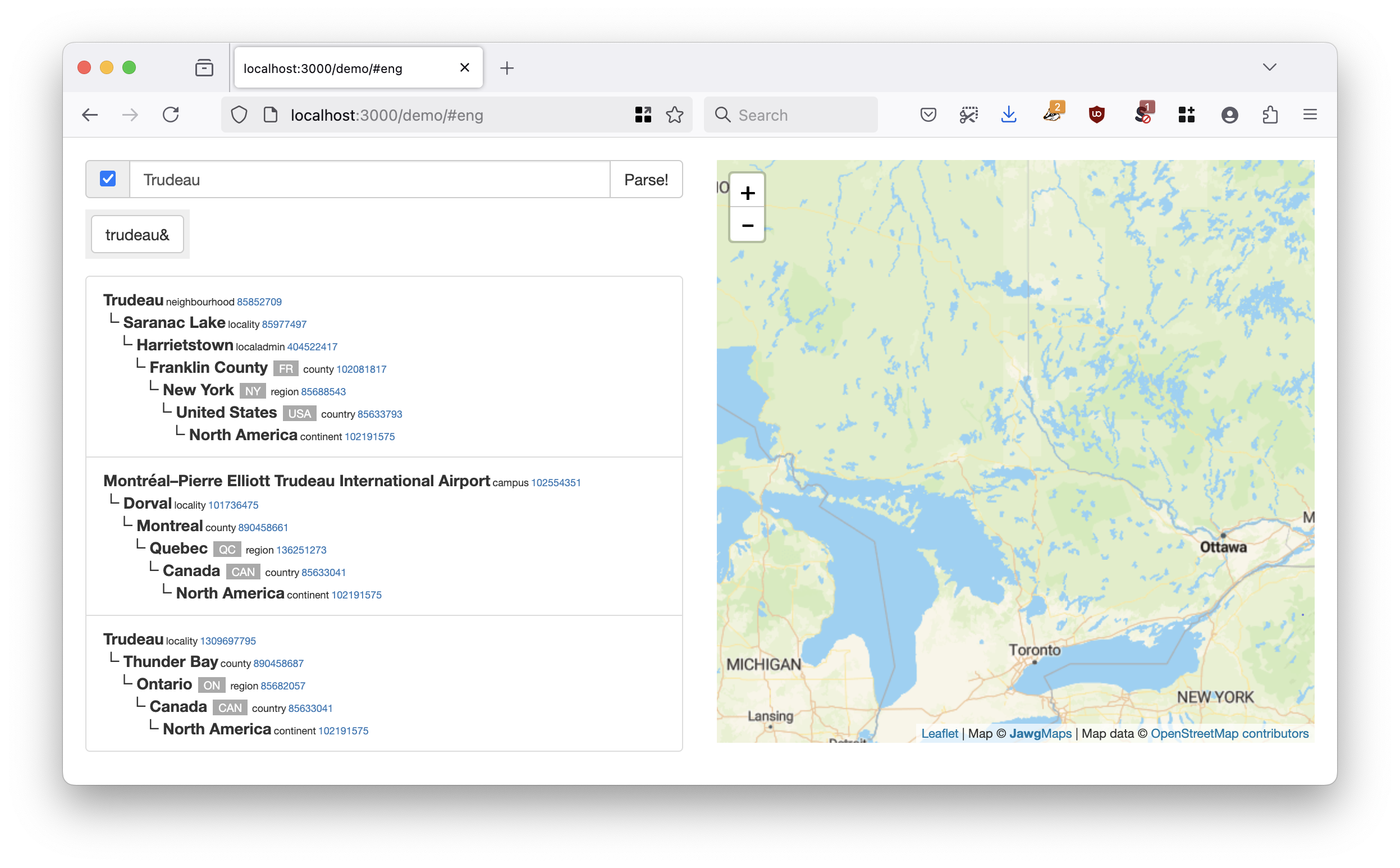
As you might expect we have a lot of objects in our collection associated with airports all over the world. Or historical architectural elements at SFO:
$> npm run cli -- North Terminal

> pelias-placeholder@0.0.0-development cli
> node cmd/cli.js North Terminal

North Terminal

took: 1.155ms
 - 1159396129   wing    North Terminal (1981~ - 1983~)
 - 1159396145   wing    North Terminal (1979~ - 1981~)
 - 1159554819   wing    North Terminal (1983~ - 1988~)
 - 1159554821   wing    North Terminal (1988~ - 2000~)
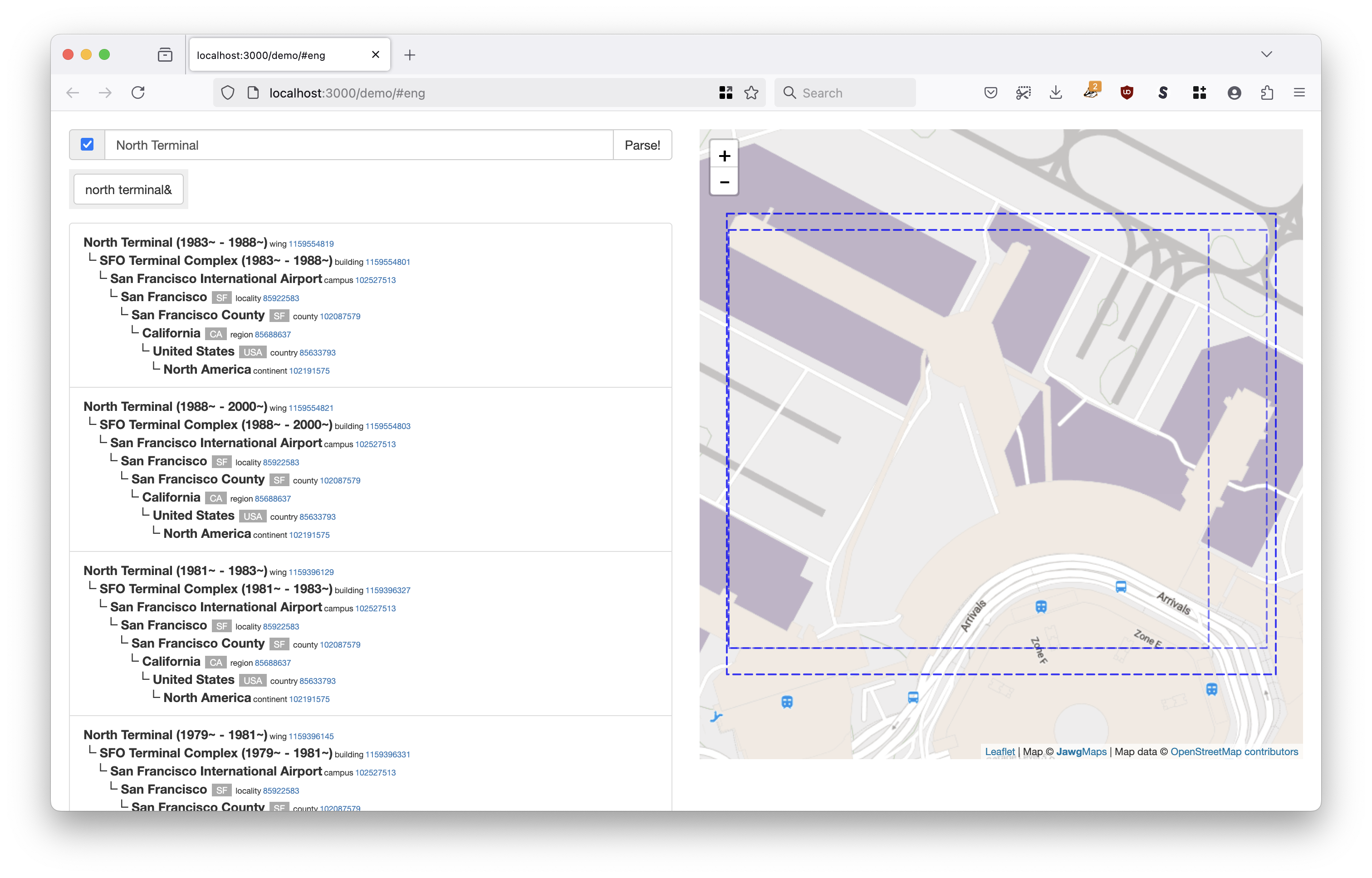
Part of our mandate, as a museum, is the history of the airport itself so a geocoder that can’t support that is a bit of non-starter for us. For example, all the past and present instances of specific galleries at SFO:
$> curl -s 'http://localhost:3000/parser/search?text=D12' | jq -r '.[]["name"]'
D-12 Wall Case (2017~)
D-12 Wall Case (2014~ - 2017~)
D-12 Wall Case (2011~ - 2014~)
D-12 Wall Case (2019)
D-12 Wall Case (2020-~05)
D-12 Wall Case (2021-05-25)
2A Boomerang Gallery (2021-11-09)
2A Boomerang Gallery (2024-06-17)
2A Boomerang Gallery (2024-11-05)
D12 (2019-10)
D12 (2020-~05)
D12 (2021-05-25)
D12 (2021-11-09)
D12 (2024-06-17)
D12 (2024-11-05)

How does it work?
The rest of this blog post gets in to the technical details of how we built our own custom geocoding databases and how you could use these tools to build your own bespoke Placeholder SQLite databases. There are two parts to this work:
- New code to generate the list of the Who’s On First style records used to index the Placeholder SQLite database.
- Tweaks to the default Placeholder code base to index records that aren’t normally included in a Placeholder SQLite database file. These changes are part of the
sfomuseum-allbranch in the sfomuseum/placeholder repository.
whosonfirst/go-whosonfirst-placeholder
The go-whosonfirst-placeholder package provides a simple command line tool, called extract, for generating Placeholder input data from one or more Who’s On First style data sources. For example, to generate source data for a Placeholder instance for geocoding administrative and venue records in the US you might do something like this:
$> cd /usr/local/src/go-whosonfirst-placeholder
$> make cli

$> ./bin/extract \
	/usr/local/data/whosonfirst-data-admin-us \
	/usr/local/data/whosonfirst-data-venue-us-ca \
	> /usr/local/src/placeholder/data/wof.extract

2025/04/07 16:13:34 INFO time to index paths (2) 2m13.55221475s
The extract tool produces a line-separated JSON file where each line contains all the properties that the Placeholder code needs to create a new database. This data is written to a file called data/wof.extract in the placeholder folder. And then to build the SQLite database you would run the (Placeholder) build command as usual:
$> /usr/local/src/placeholder
$> npm run build
...time passes

populate fts...
optimize...
close...
Done!
Once complete, you can can query for both venues and neighbourhoods:
$> npm run cli -- 'Latin American Club'

> pelias-placeholder@0.0.0-development cli
> node cmd/cli.js Latin American Club

Latin American Club

took: 1.21ms
 - 571986789	venue 	Latin American Club

> npm run cli -- 'Gowanus Heights'

> pelias-placeholder@0.0.0-development cli
> node cmd/cli.js Gowanus Heights

Gowanus Heights

took: 1.16ms
 - 102061079	neighbourhood 	Gowanus Heights
To build the custom SFO Museum Placeholder database we run the extract command with the following parameters:
$> ./bin/extract \
	-iterator-uri 'org:///tmp?dedupe=true&_exclude_alt=true&exclude=properties.edtf:deprecated=.*' \
	'sfomuseum-data://?prefix=sfomuseum-data-architecture' \
	'whosonfirst-data://?prefix=whosonfirst-data-admin-'
There are few things going on here:
- We are using the whosonfirst/go-whosonfirst-iterate-organization iterator to loop through all the records in a collection of repositories in one or more GitHub organizations.
- We are excluding alternate geometry files, records which have been deprecated and only processing records for a given ID once.
- We’re processing all the remaining records from the sfomuseum-data organization in repositories that start with
sfomuseum-data-architecture - We’re processing all the remaining records from the whosonfirst-data organization in repositories that start with
whosonfirst-data-admin-
This process can take up to 8 hours to complete so the whosonfirst/go-whosonfirst-placeholder package contains a Dockerfile for building a container to run the extract tool, build the final Placeholder database and then copy that database to a custom file or S3 database in a remote server environment like AWS ECS.
All of the work is handled by a build-placeholder-db.sh shell script, bundled with the container, which takes a -T (target) flag and one or more positional arguments referencing the GitHub organizations and repositories to index. This is the command that you would start your Docker container with. For example:
$> /usr/local/bin/build-placeholder-db.sh \
	-T 's3blob://{S3_BUCKET}/store.sqlite3?region={AWS_REGION}&credentials=iam:' \
	'sfomuseum-data://?prefix=sfomuseum-data-architecture' \
	'whosonfirst-data://?prefix=whosonfirst-data-admin-&exclude=whosonfirst-data-admin-alt'
The semantics of the -T (target) flag are outside the scope of this blog post so make sure you read the documentation for details.
sfomuseum/placeholder
That Dockerfile uses the original pelias/placeholder code to build the index. As mentioned this code contains checks to exclude records whose mz:is_current is not “1” or whose wof:superseded_by property is not empty. To address this we’ve created a sfomuseum-all branch in the sfomuseum fork of the placeholder codebase which removes these checks and these changes are available in the Dockerfile.sfomuseum file.
I am pretty sure that there a still a few “gotchas” in the changes we’ve made to the Placeholder codebase but they also represent a promising start in being able to use Placeholder for some long-overdue place-based functionality on the SFO Museum websites so that is good and exciting. An open source geocoder with global coverage, multilingual support and common, stable and permanent identifiers for places opens up the space for museums, and other cultural heritage organizations, to share and mix-and-match their collections using location(s) as the bridge. We hope our example will encourage other institutions to do the same.