
Updating the SFO Museum Wayfinding Service - Galleries, Public Art, Flights and Barcodes
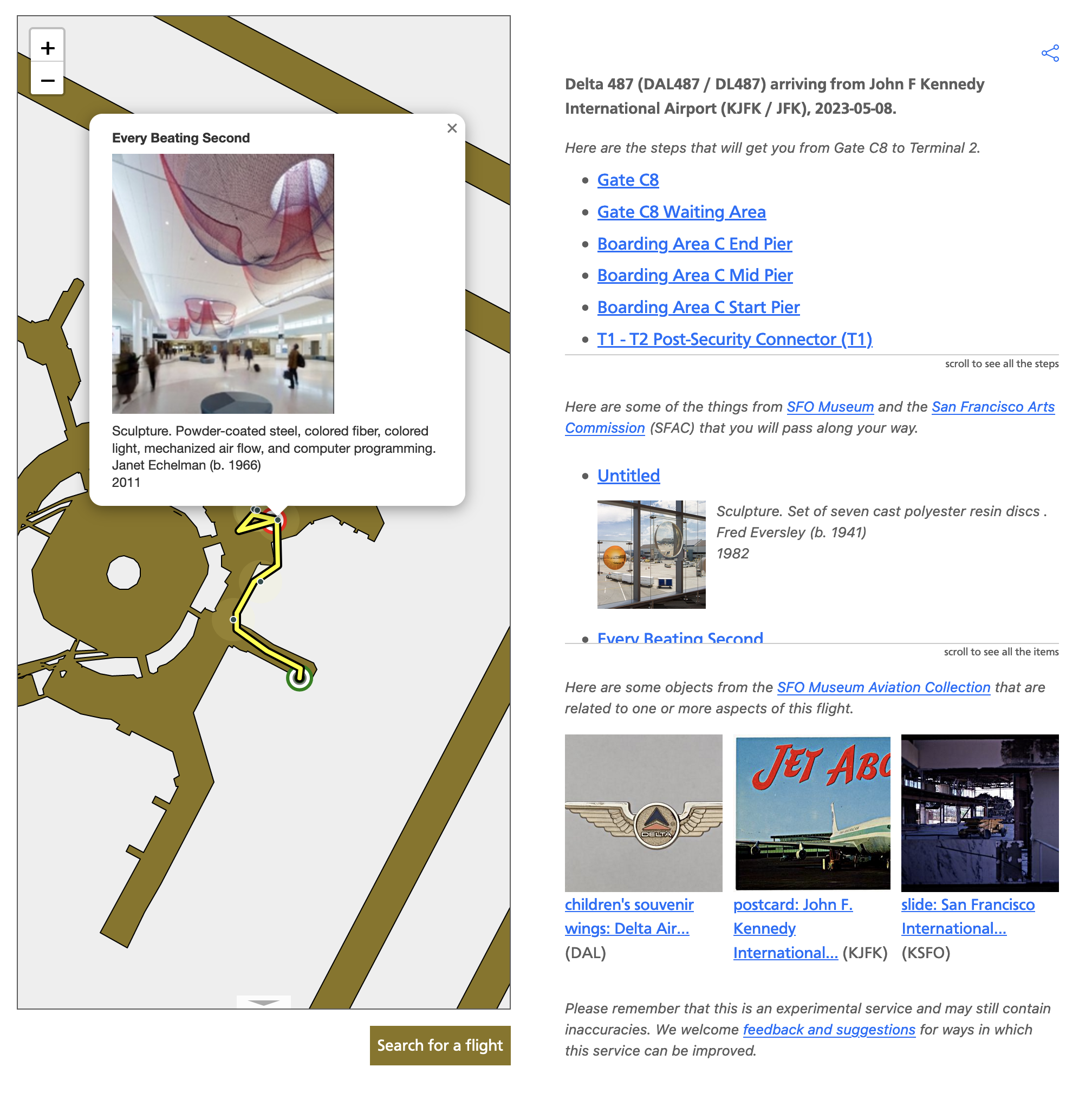
Since we first released the experimental SFO Museum wayfinding service in March we’ve made the following improvements:
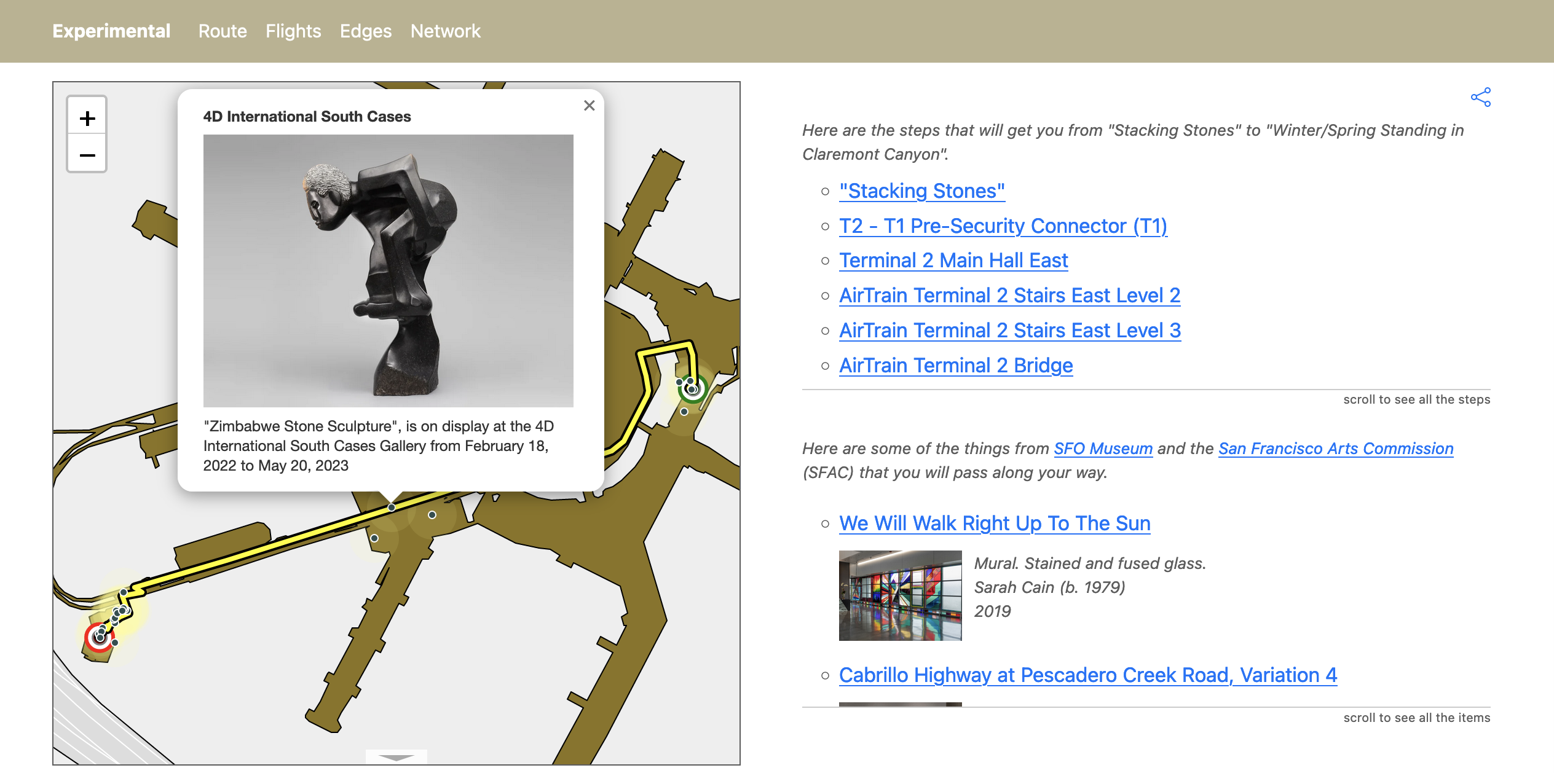
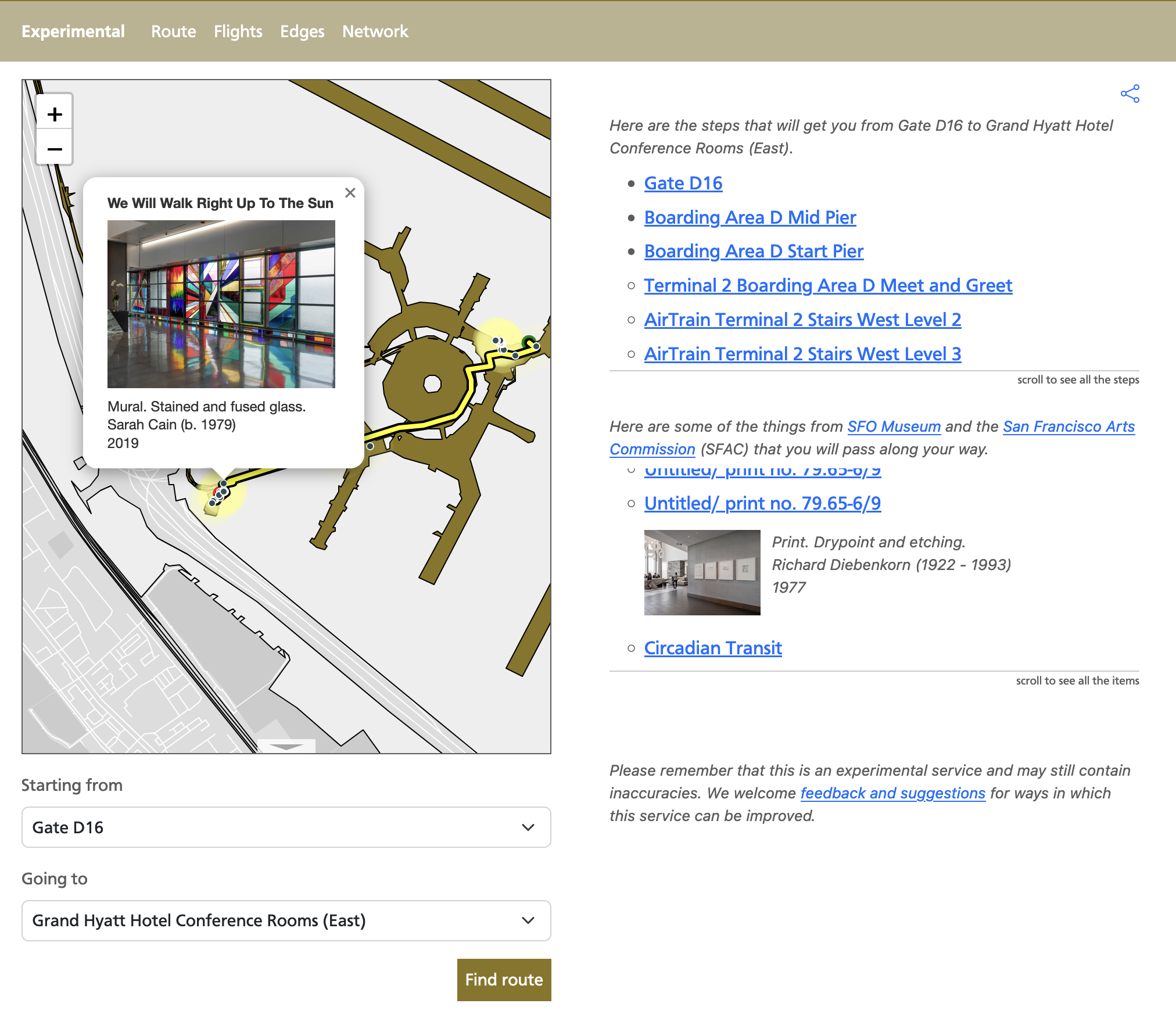
Waypoints for all the public art work on display at the Grand Hyatt Hotel have been updated to reflect, well, reality. And waypoints have been added for the recently re-opened AirTrain station and connector bridge at Harvey Milk Terminal 1.
The cartographic elements used to draw routes along a map have been simpified and, I think, improved.
And introduced these new features:
All routes now include an overlay of nearby museum galleries, exhibitions, and public art works on top of, and next to, any route the wayfinding tool produces.
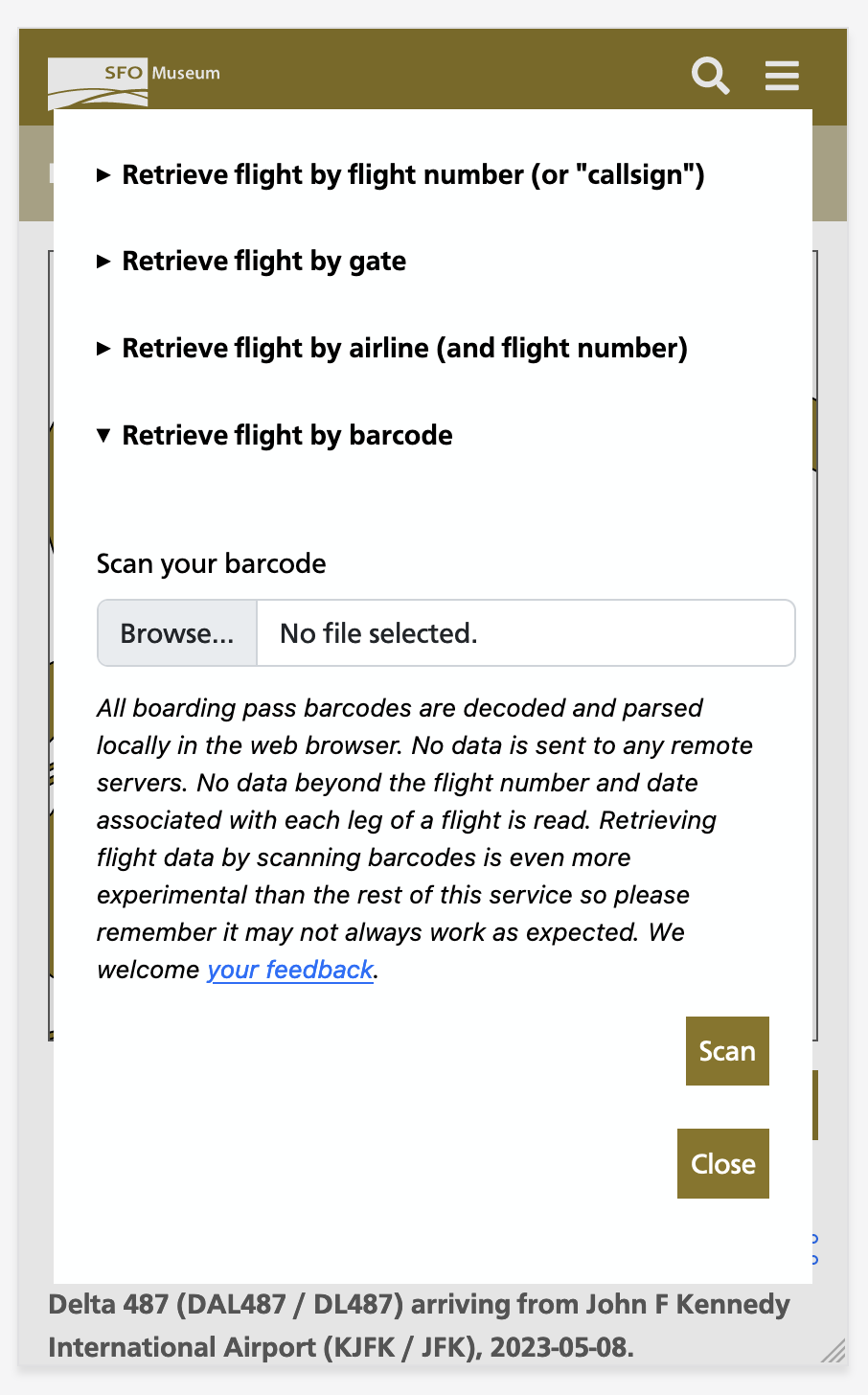
It is now possible to derive a wayfinding route (and a museum overlay) for flights traveling to or from SFO. Flights can be specified using their flight number, by choosing from a list of flights parked at a gate at SFO or by scanning the barcode on a flight ticket.
If you want to try all of this out before reading any further (it’s okay, we’ll wait) you can do so by visiting:
And:
Here are a few things that are still true in 2023 about a museum, like SFO Museum, located in an airport:
The notion of a museum in an airport is still foreign to most people.
People often don’t grasp that there is a museum at SFO or that, really, the whole airport is the museum because they are often distracted just getting to their flight or getting out of the airport after a long flight. As a result many people who travel through SFO don’t even know what they didn’t see.
There really isn’t any part of a person’s time at the SFO which doesn’t have a straight line back to SFO Museum’s aviation collection. Whether it’s the airport a passenger is flying to, the airline they are flying with or the gate their plane is flying out of there’s a good chance that SFO Museum has a related object in its collection.
An obvious question, then, might be: What if the museum were able to “follow” a person on their journey through the airport and then tell them about all the art and exhibitions they passed? The expectation is not so much that a passenger would retrace their steps to go see Paul Madonna’s Here You Are / Are You Here in Terminal 2, for example, before boarding their flight but that being able to shadow a person as they travel through the airport would make it possible to raise an overall awareness of the museum and its programming. We understand that, in the moment, a person may be too busy dealing with the details of their flight to visit the museum. We also understand that, in many cases, those same people are eventually coming back to SFO and this revisiting presents an opportunity for people to visit the museum; to offer a polite reminder and a subtle prompt to discover and explore one or more works the next time they are at the airport.

In a very real and practical sense the question of “following” a person through the airport is really about answering the question: How can we follow people without requiring them to install a dedicated app with location permissions enabled, without having to wrangle the challenges of indoor location tracking, and without having to resort to otherwise creepy surveillance technologies? For example even if we wanted to use facial recognition software to follow people around (we don’t) the City and County of San Francisco has rules expressly prohibiting that sort of thing.

Seen in this light, flight numbers become an interesting way to approach that problem. Given a flight number we can derive the gate that flight is arriving at or departing from and the terminal that the airline operating the flight occupies at SFO. With these two pieces of information we can construct a likely path that an individual will have taken to or from their flight. Once we have that route we can “decorate” the map with all the museum-related installations on display.
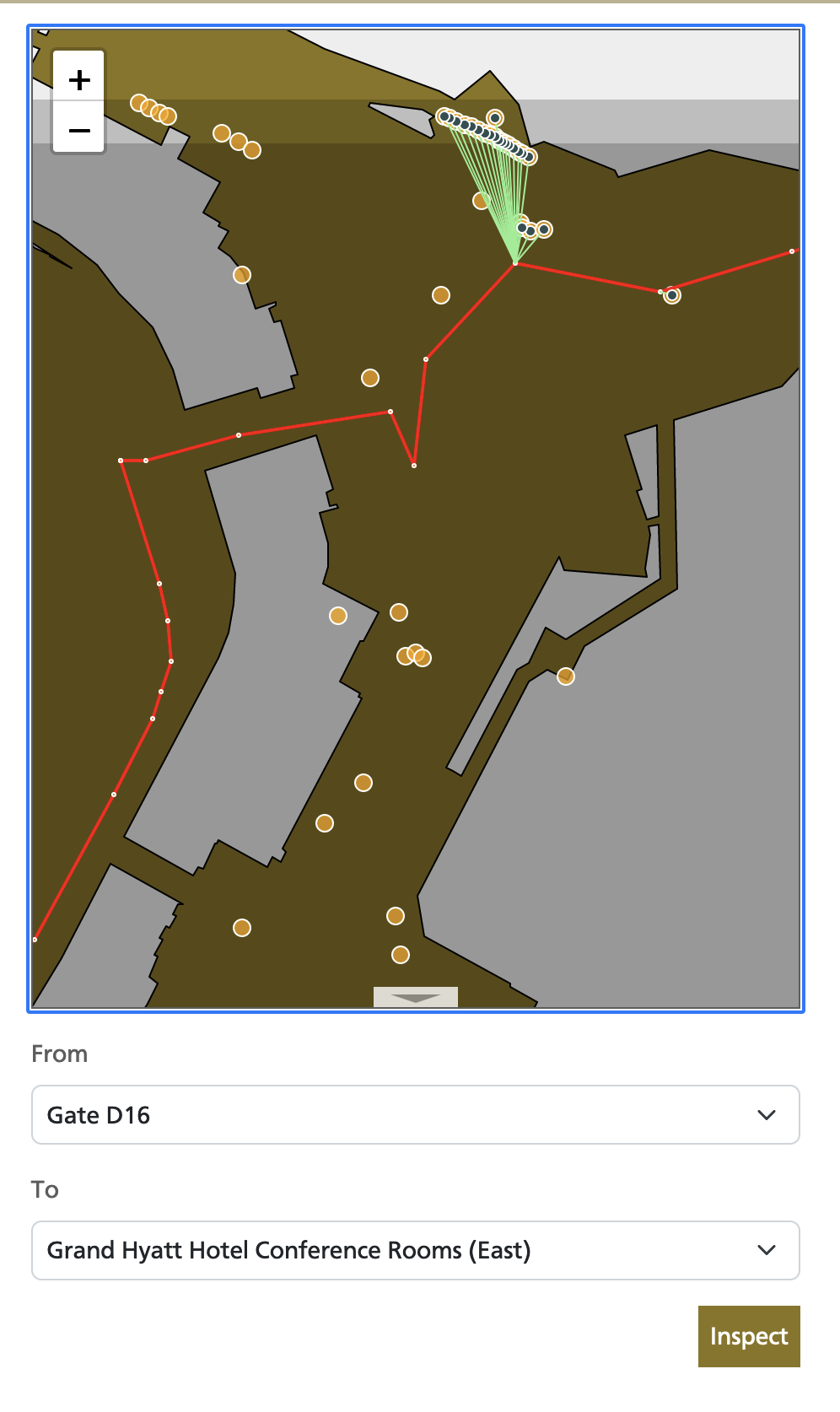
Eventually, we can use that same information to compile a PDF file, or a video or even, eventually, an audio guide or podcast about all the work, past and present, that a passenger has passed which they can take with them on to their flight. Not enough museums follow their visitors “out of the building” or offer them the means to continue to think about what they’ve seen after the fact. This remains the great untapped opportunity for all museums but especially a museum in an airport since, in many ways, “leaving the building” is what an airport is all about.

These are some of the reasons we’ve been focusing on wayfinding and much of that work, to date, has been about ensuring the basic plumbing is operational. For example, I mentioned that it’s possible to create a route for a flight by scanning the barcode on a ticket. People are often surprised to learn how much data is encoded in those barcodes, much of it being sensitive enough that people may not want to share it with the world (or a museum). To account for this fact we’ve made sure that all the code for decoding and parsing barcodes happens locally in the web browser. None of the data in a ticket’s barcode, save the flight number and origin and destination airports (and then only for the leg of a flight involving SFO) leaves an individual’s browser or is sent to a remote server. We think being aware of the potential risks that the technologies we use make possible and of being able to make a good-faith claim that we are not abusing those risks is both a responsibility and a basic courtesy.
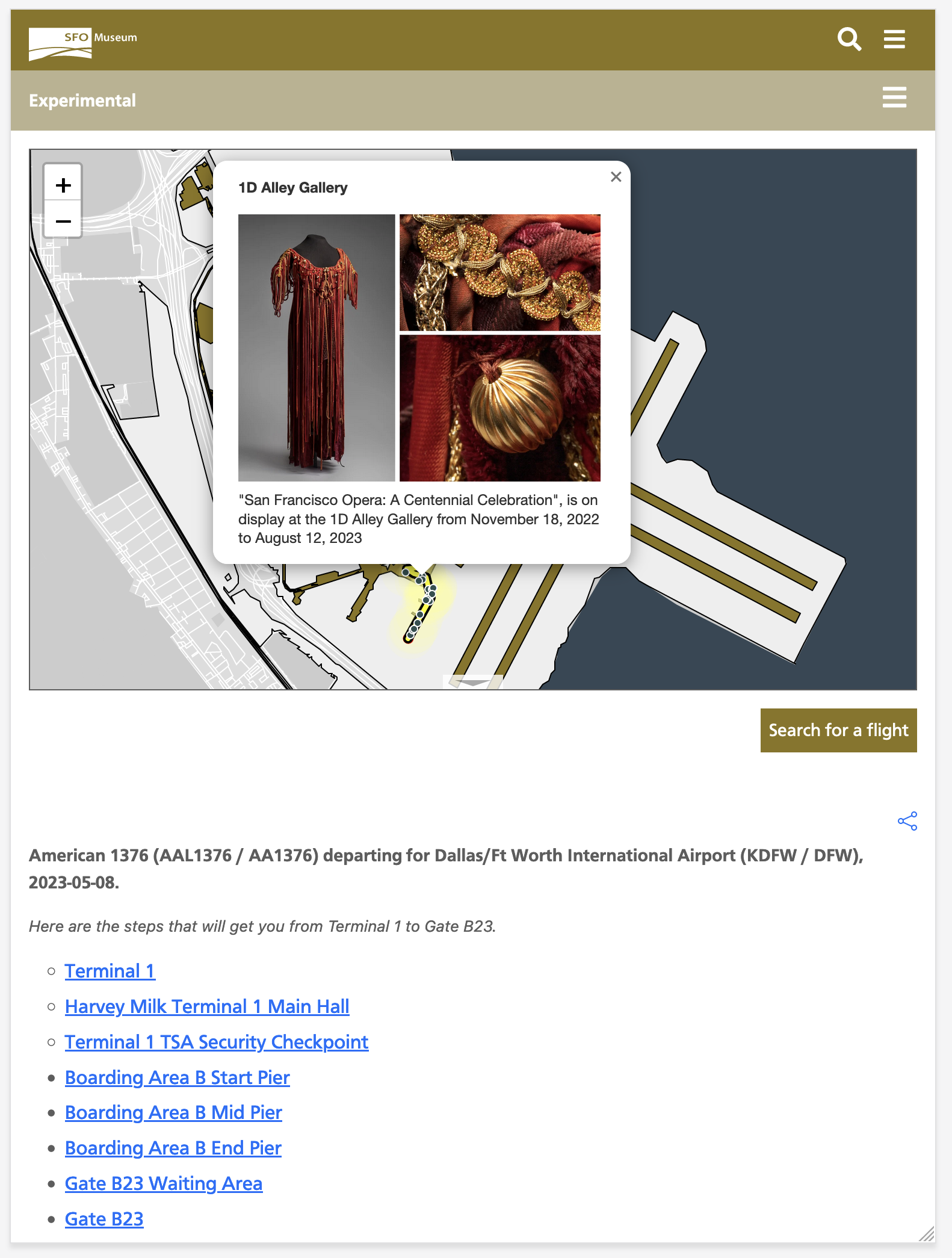
The rest of this blog post gets in to some of the technical details of how that works. If that’s not of interest then you can stop reading now and start testing out the new and improved wayfinding application here:
Under the hood
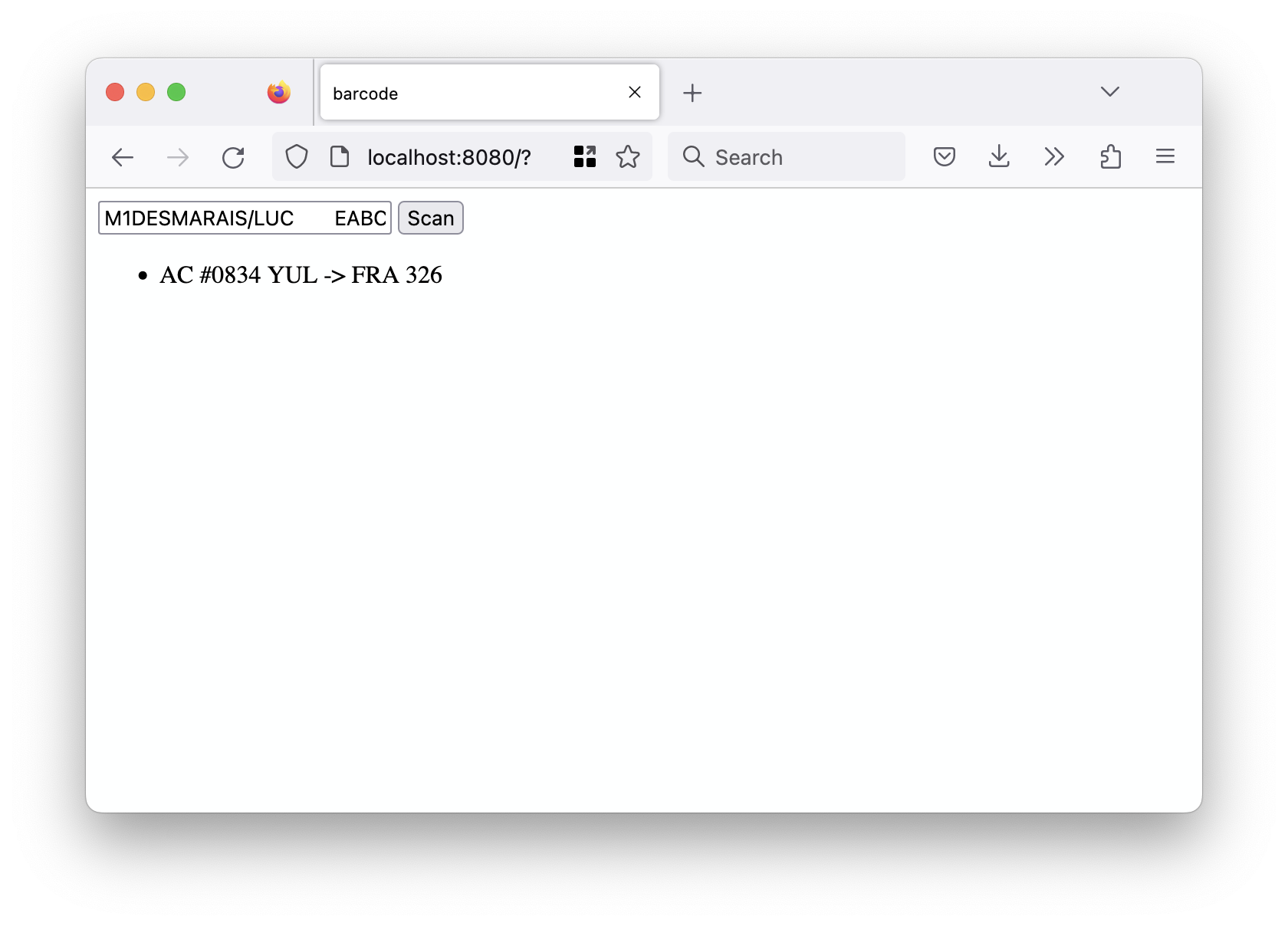
We are decoding barcodes in the browser using the rxing-wasm package which exposes the Rust-based rxing package as a WebAssembly binary. Parsing the contents of those barcodes is done using our own very thin WebAssembly wrapper around the iata_bcbp Rust library (BCBP is the acronym for the “Bar Coded Boarding Pass” standard which is 59 pages long!) This is another in a series of ongoing experiments using WebAssembly to understand how and where it fits with both our online and offline projects. For example, we also have a working prototype of the wayfinding system where all of the logic is compiled in to a WebAssembly binary that can be run offline in a web application wrapped in an iOS/iPad kiosk, building on the work we’ve done with the interactive installation in the T2 SkyTerrace and the iOS multiscreen starter kit.

I have written before about the challenge of large WebAssembly binaries included in online web applications but in an offline context, like an interactive kiosk, those file sizes aren’t really a problem anymore. Even if there is a noticeable bump in startup time, loading a 20 or 30 megabyte WebAssembly binary, the idea is that these applications only start once and are a designed to run uninterupted forever (or an approximation of forever). That opens up a whole new space for application development where the core functionality and interactions can be written in HTML and JavaScript but run wrapped inside of a native iOS “wrapper” application while also taking advantage of functionality that would be too difficult or time-consuming to write in either JavaScript or Swift but which can still be integrated with the heightened degree of security that WebAssembly offers.
Since the first blog post about the wayfinding tool things have gradually started to become less “experimental” but this project remains an active work-in-progress with room, still, for many improvements. Going forward, the immediate plans include thinking about how to display and filter the volume of information that a wayfinding system at an airport paired with a museum that has a permanent collection of 140, 000 objects and 40 years worth of exhibitions presents. This is especially true on devices with small screens but it’s clear looking at some of the screenshots of the wayfinding tool in a “desktop” context, above, that there is still work to do to improve how things are layed out and adapt to different screen sizes. Looking at the (very tall) screenshot of the route between Gate E7 and Terminal 3 on a mobile device, below, gives me a new appreciation for the concept of overlapping and modal views adopted in many native mobile applications and suggests a good target for “progressively enhancement” in future iterations. Onwards!
